All products Communication
EU Chat iconEU Chat icon
EUChatPart of EU Suite

Important conversations deserve a permanent place.

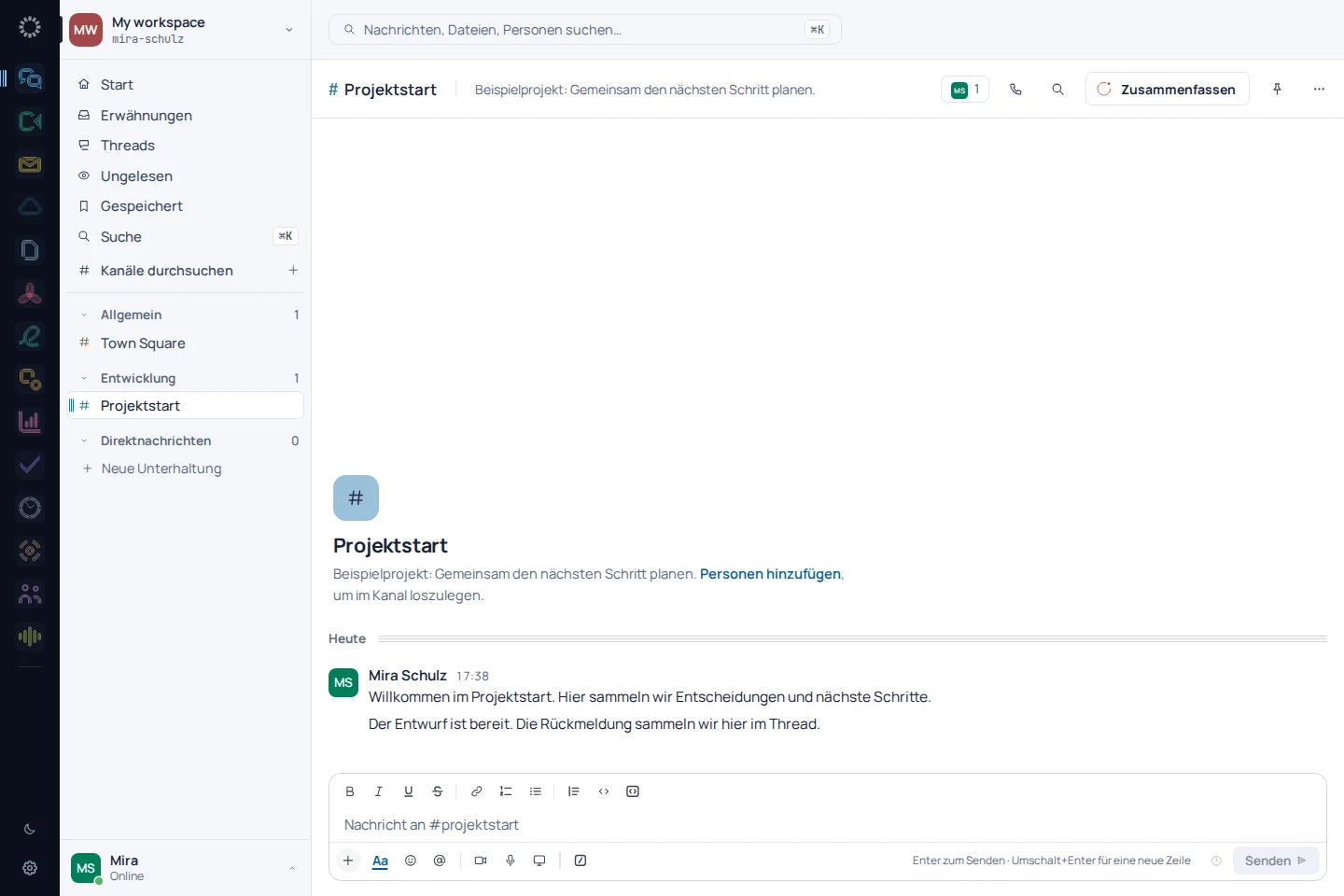
EU Chat organises your team's communication into channels, threads and direct messages. This keeps a question with its topic and makes decisions easy to find again later.

One place for the conversation and its context.

To the product website eu-chat.de
EU Chat: app recording with sample data
EU Chat: mobile concept preview
App recording · sample dataAnimated concept · not a live app

For the work that matters

Fewer detours.
More exchange.

01

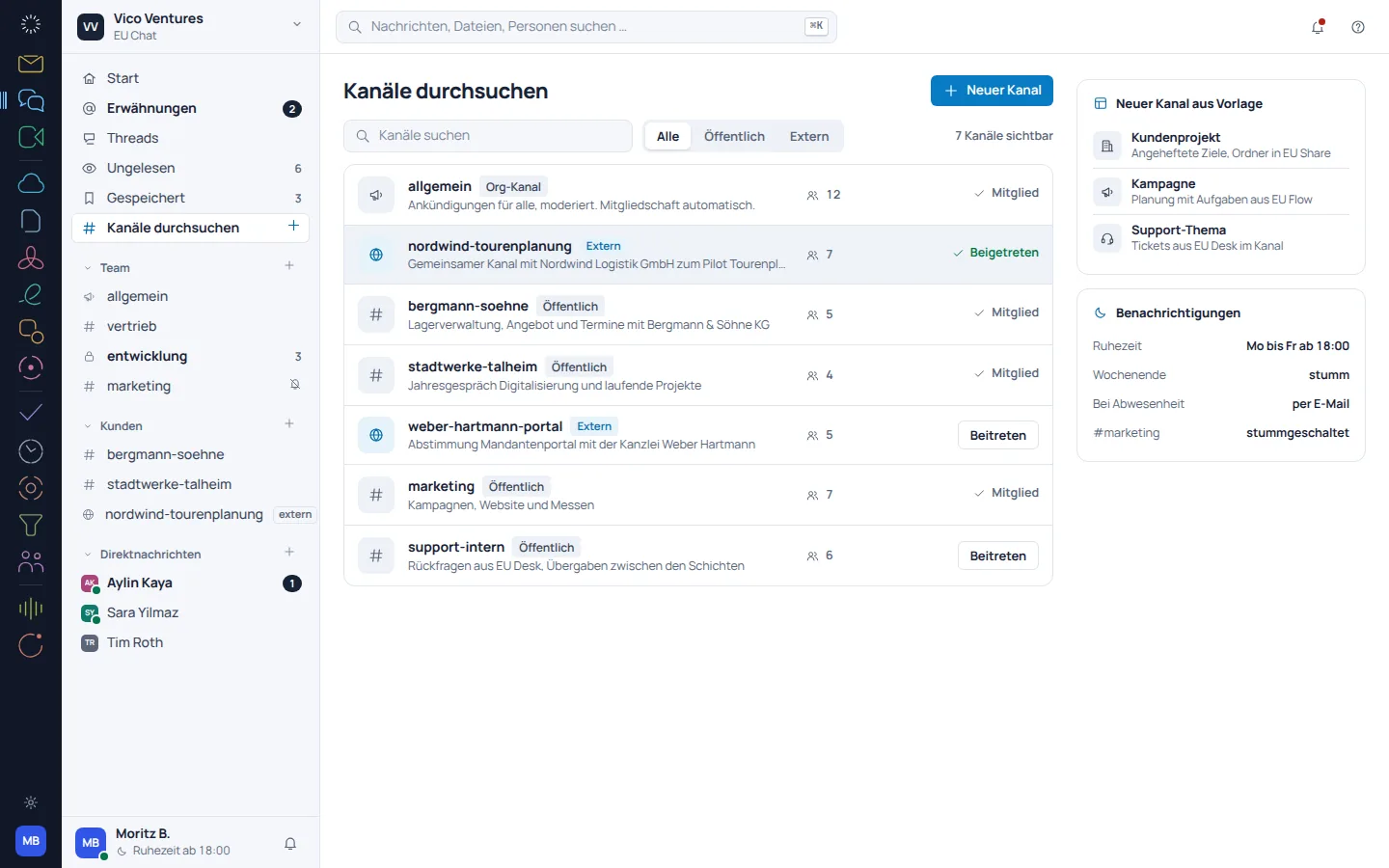
A channel for the shared topic.

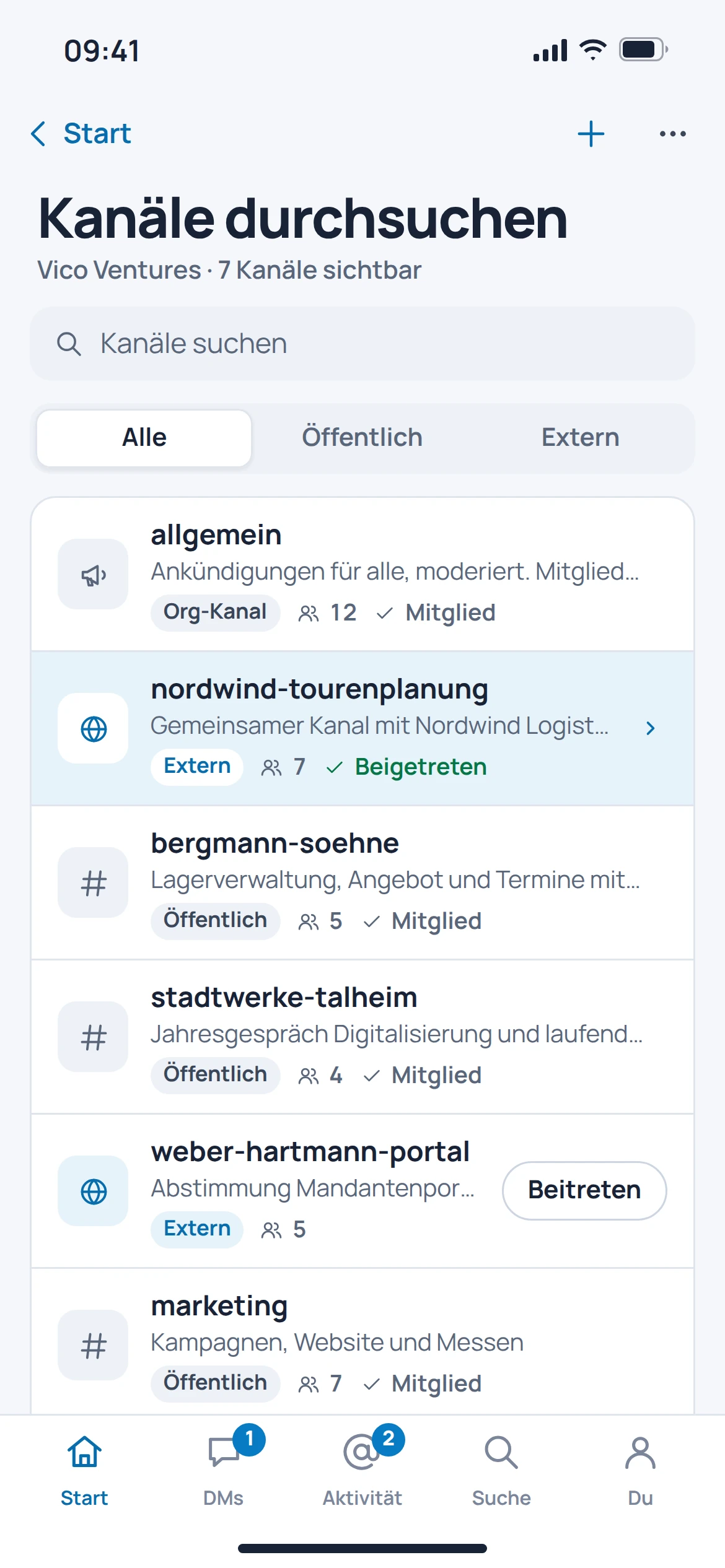
Project conversations get their own space. Thread replies keep a detailed question together without overwhelming the entire channel.

  • Channels for teams and projects
  • Replies in the relevant thread
  • Direct messages for personal exchange
EU Chat: concept preview
EU Chat: mobile concept preview
Animated concept · not a live appAnimated concept · not a live app

02

The answer is already in the conversation history.

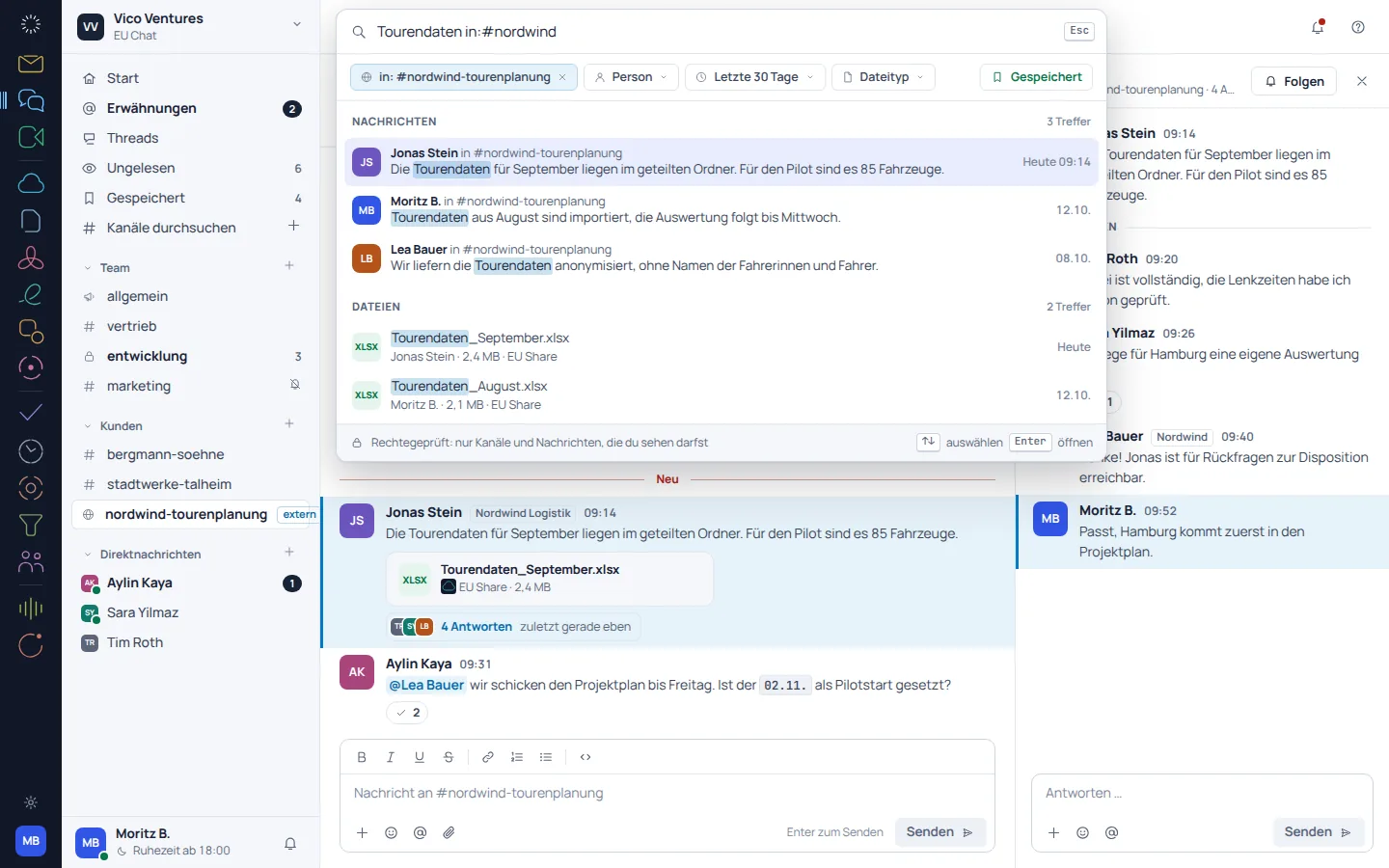
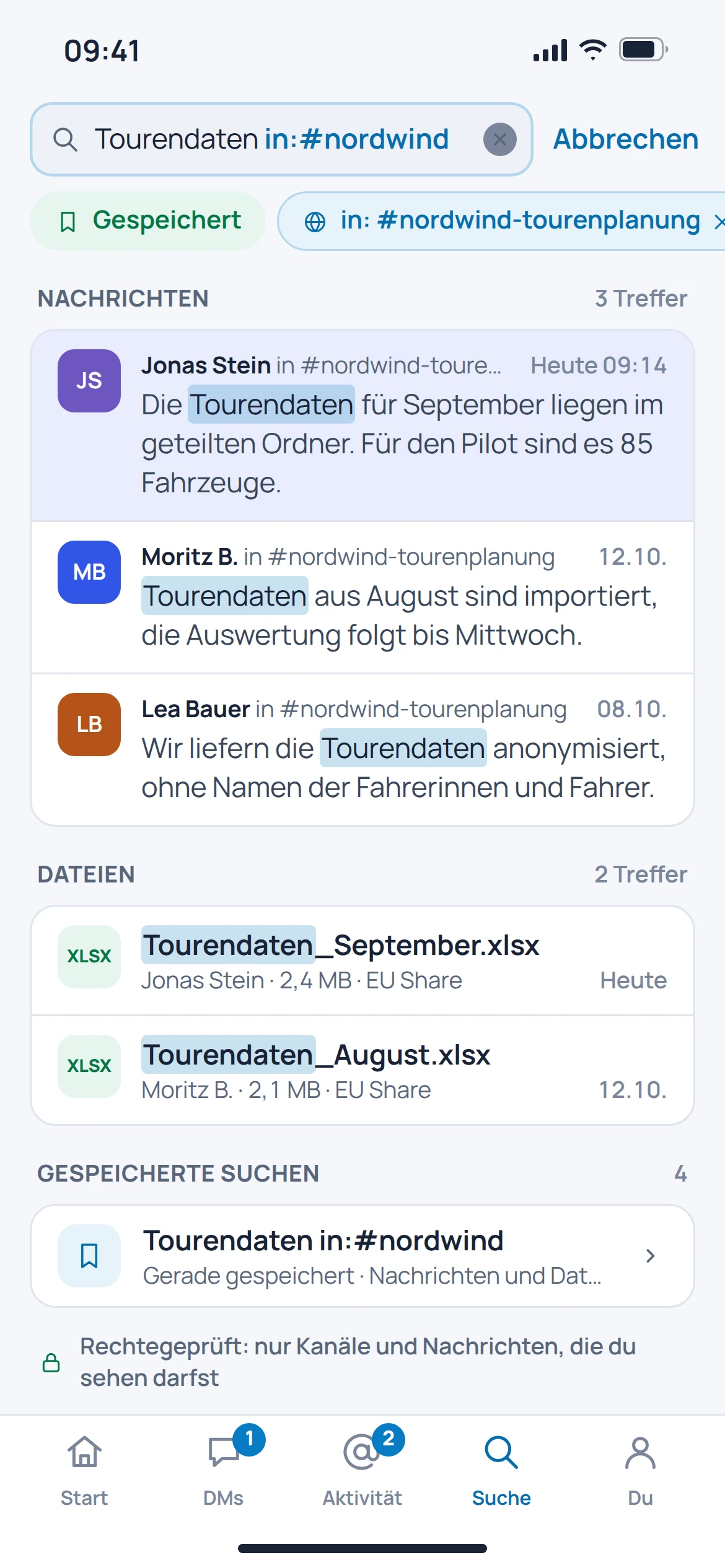
Instead of asking the same question again, you can search the existing conversation history. The catalogued search view filters results by person, file, channel and time period.

  • Find messages and files again
  • Filter results by channel
  • Take the time period and participants into account
EU Chat: concept preview
EU Chat: mobile concept preview
Animated concept · not a live appAnimated concept · not a live app

03

Organise your workspace deliberately.

Members, access and conversation history are part of the shared working environment. The administration view brings together the settings and records provided for this purpose.

  • Manage workspace and members
  • Export in the administration area
  • Access log in the catalogued view
EU Chat: concept preview
EU Chat: mobile concept preview
Animated concept · not a live appAnimated concept · not a live app

From first step to result

A follow-up question through to a decision.

  1. 01

    Start a topic

    Ask the question in the relevant project channel with the necessary context.

  2. 02

    Resolve it in a thread

    Keep replies and follow-up questions with the original message.

  3. 03

    Find it again later

    Return to the decision through search and the channel history.

A smooth move starts with clarity

Your work comes with you.
Step by step.

Automatic imports from Slack, Teams, Mattermost or Rocket.Chat are in preparation. You can plan a new workspace independently of this.

Provider migration · In preparation
  • Slack
  • Microsoft Teams
  • Mattermost
  • Rocket.Chat
  1. 01

    Select conversations

    Decide which channels, files and time periods to bring across.

  2. 02

    Check the export and permissions

    Secure an existing export package and take private channels and user mappings into account.

  3. 03

    Move over in stages

    Start with a clearly defined team; keep the old conversation history available until the migration has been checked.

Check before switching

  • Distinguish between private and public channels
  • Back up attachments separately
  • Check authors and timestamps when importing later
Plan your migration with EU Suite

Individually. Together. Right for you.

Your starting point.
Your next step.

Free, Basic and Pro for every product. One EU Suite account connects your apps. You manage your selection and access in the Control Centre.

Billing period for plan preview

Plan preview · suggested price · Individual

Free

For getting started on your own

0,00 €0,00 €/ month

Free plan

  • Basic communication
  • Personal conversations
View access options

Basic

For your daily work

6,48 €5,40 €/ month

When paying monthly€64.80 with annual payment

  • Advanced work organisation
  • Personal communication workflows
View plan details

Pro

For more advanced workflows

9,72 €8,10 €/ month

When paying monthly€97.20 with annual payment

  • Communication across teams
  • Advanced integrations
View plan details

Suggested prices include 19% VAT for Germany. The commercial feature allocation is planned; binding offers and available services are shown in the control centre. No purchase is made here.

Work together?

Team adds role and licence management. A 10% surcharge and at least three paid seats per product are planned. Your account type is set in your profile.

View Team plans

Multiple apps, one package

A good fit.

Compare suitable packages in the control centre before deciding.

Good to know

Before you
get started.

Key answers about EU Chat, your account and moving over.

When should I use a thread?

When a reply relates to a specific message. The context is preserved while other topics continue in the channel.

Can I find old decisions again?

The documented search covers messages and files. The search view offers filters by person, channel and period.

Can I import my entire Slack history straight away?

Automatic imports from other providers are in preparation. Planning an export does not mean that a migration is already available.

Are tasks created automatically from messages?

Connections to other Suite products are planned. This page does not promise that automatic task creation is a consistently available feature.

EU Chat · Part of EU Suite

Your next step
starts here.