01
The history belongs with the issue.
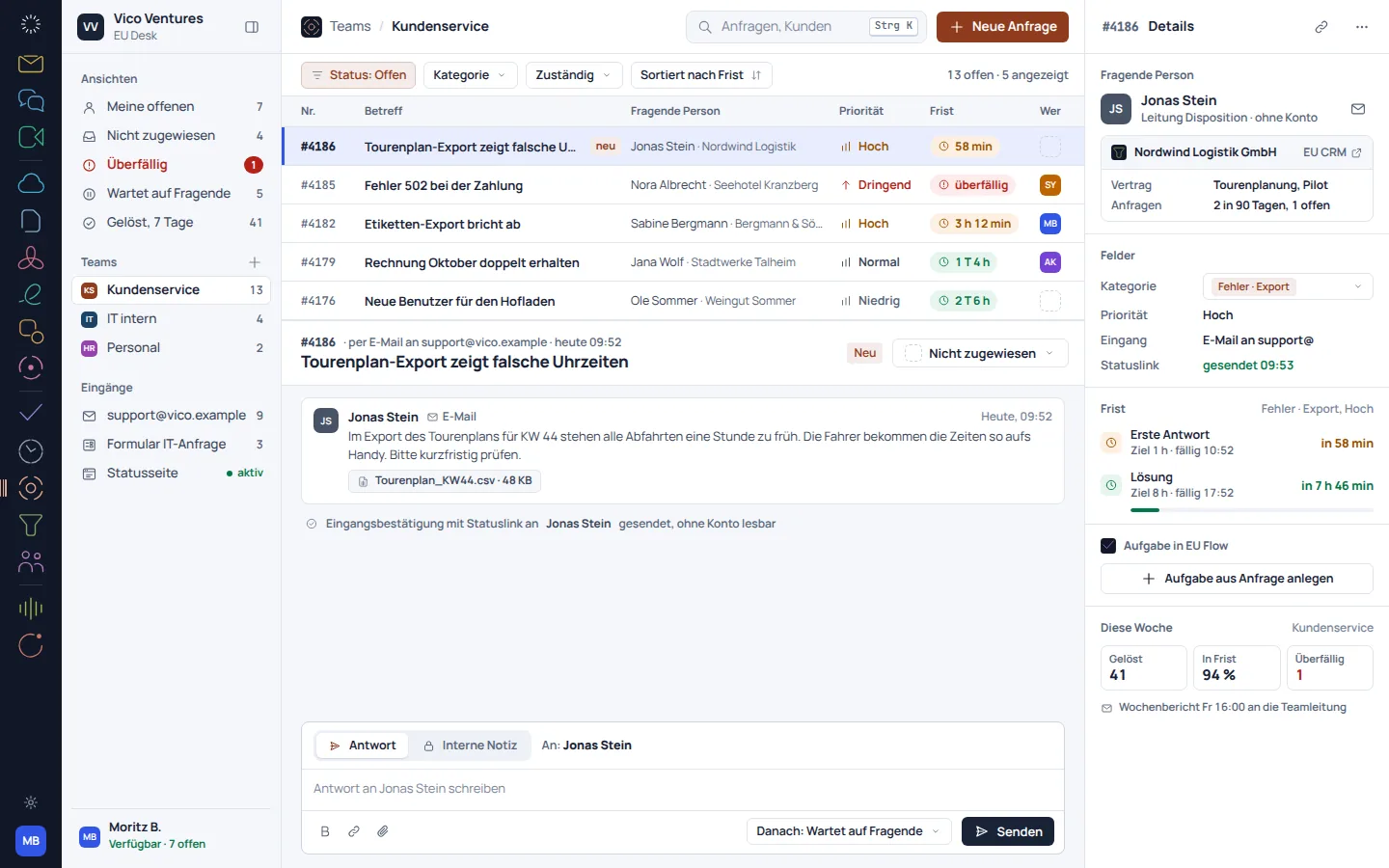
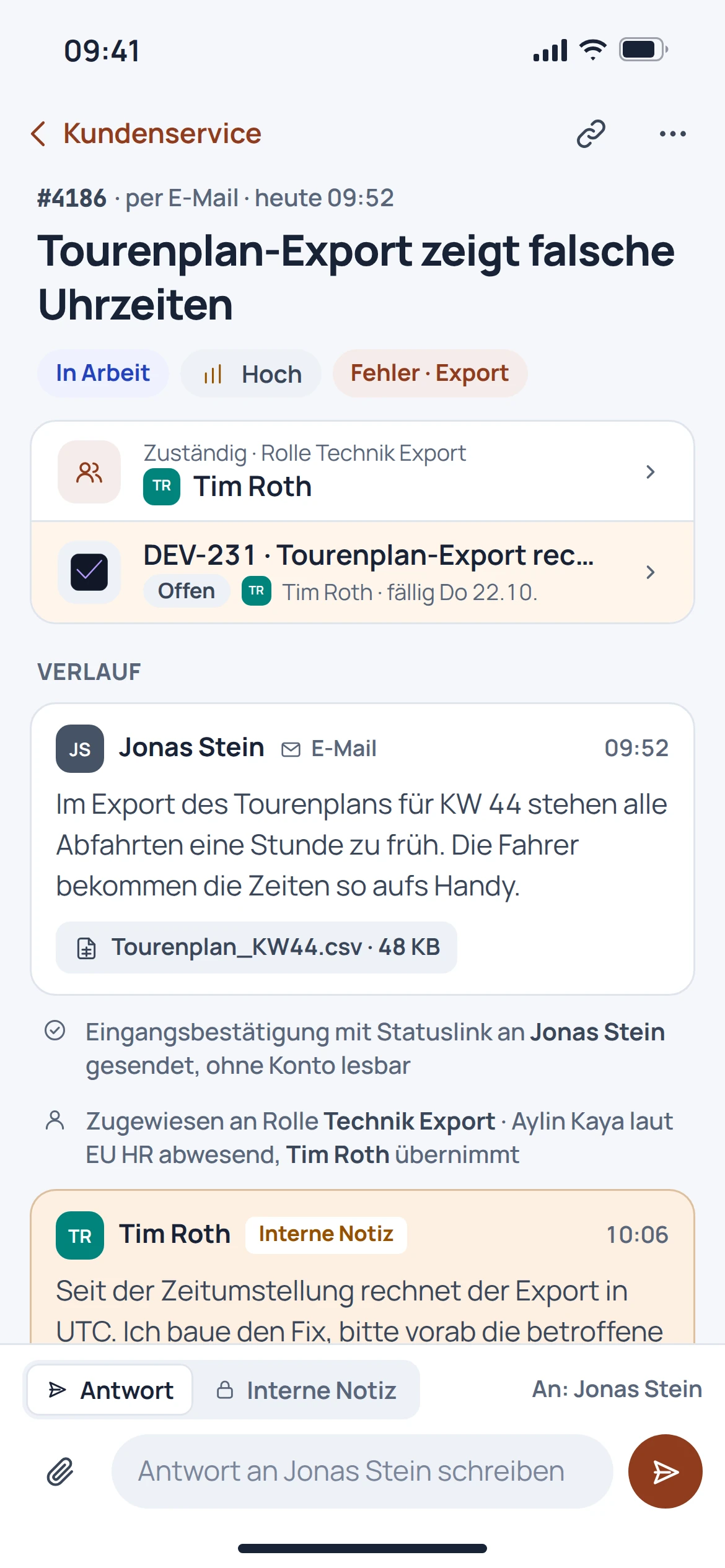
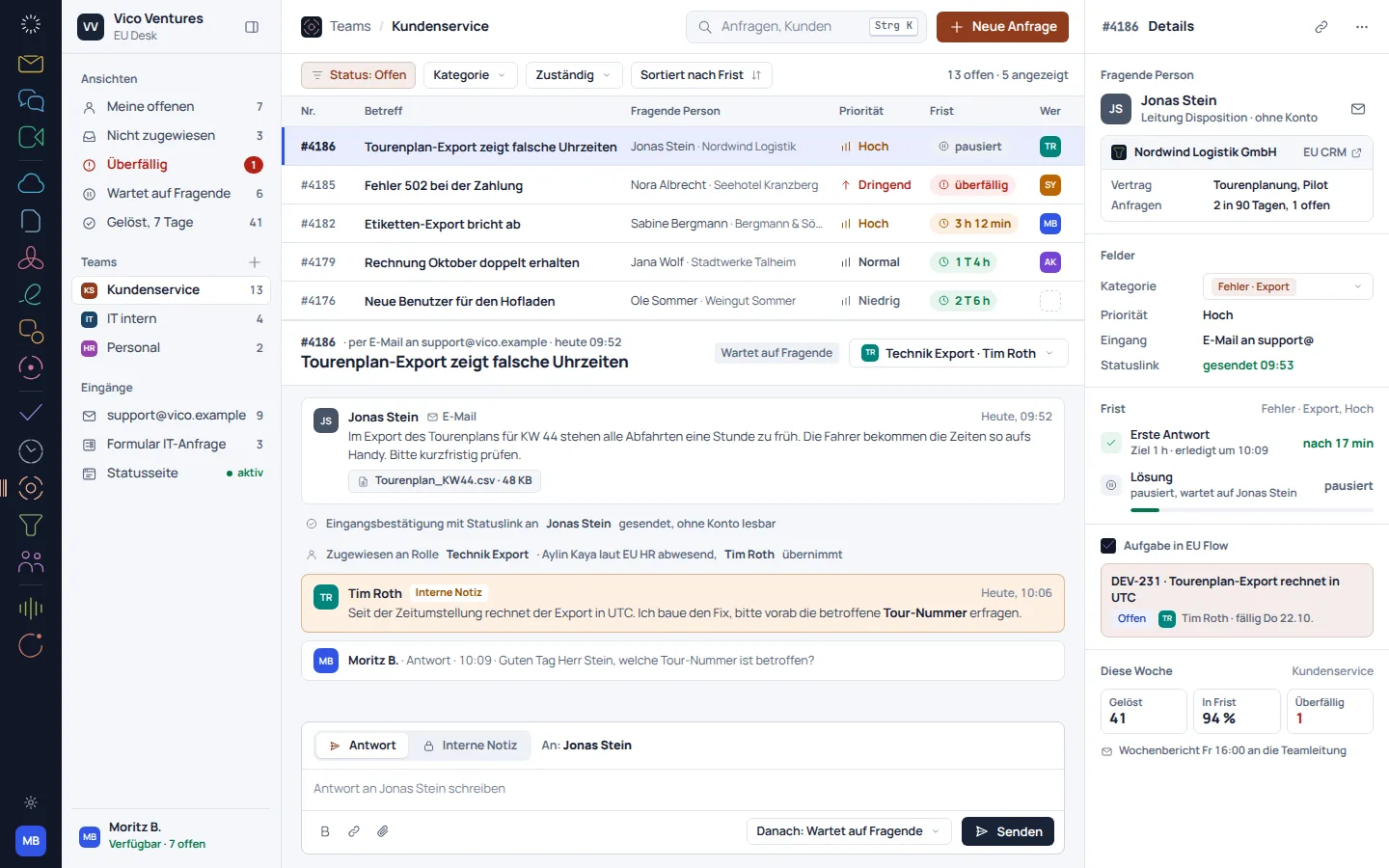
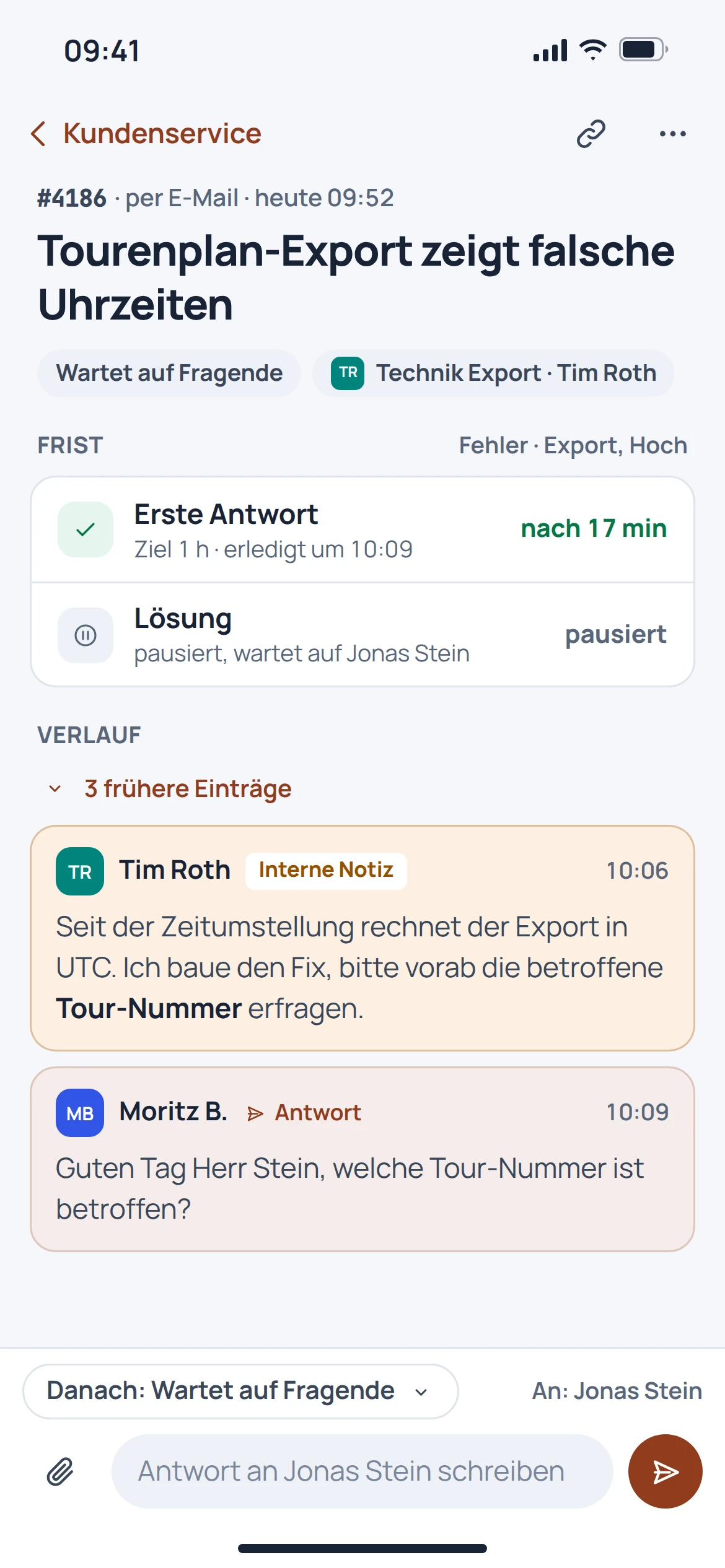
A case keeps the request and its handling together. The owner, status and deadline help identify the next action.
- Manage a request as a case
- Assign an owner
- View status and history together
Region and language
We detect your region automatically. Your browser remembers your choice.


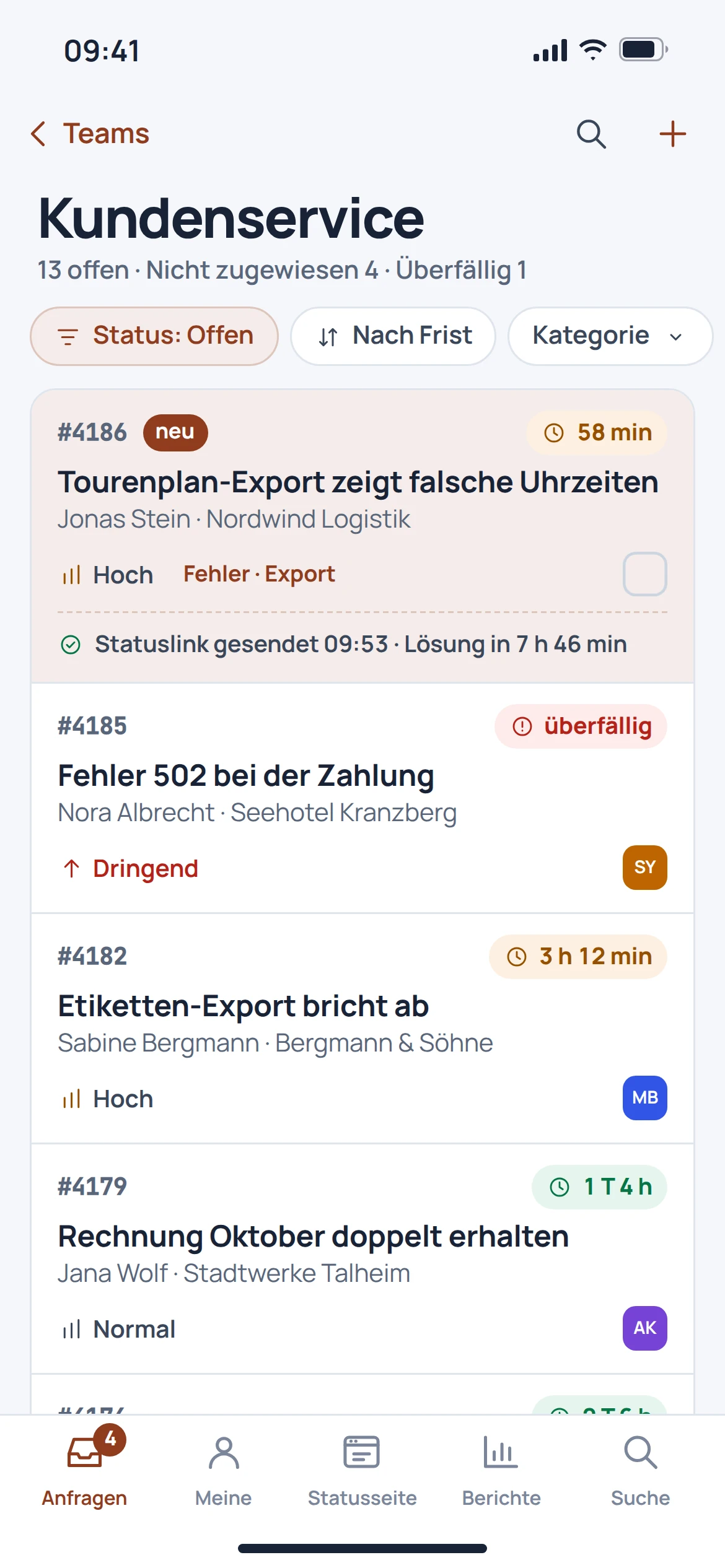
EU Desk organises requests by status, responsibility and deadline. The development views in the catalogue describe the process and how the team handles requests.
Capture, handle and resolve requests in a traceable way.
For the work that matters
The older Desk catalogue views show an earlier stage of development. Current product screenshots are labelled separately. The views do not constitute a contractual service commitment.
01
A case keeps the request and its handling together. The owner, status and deadline help identify the next action.
02
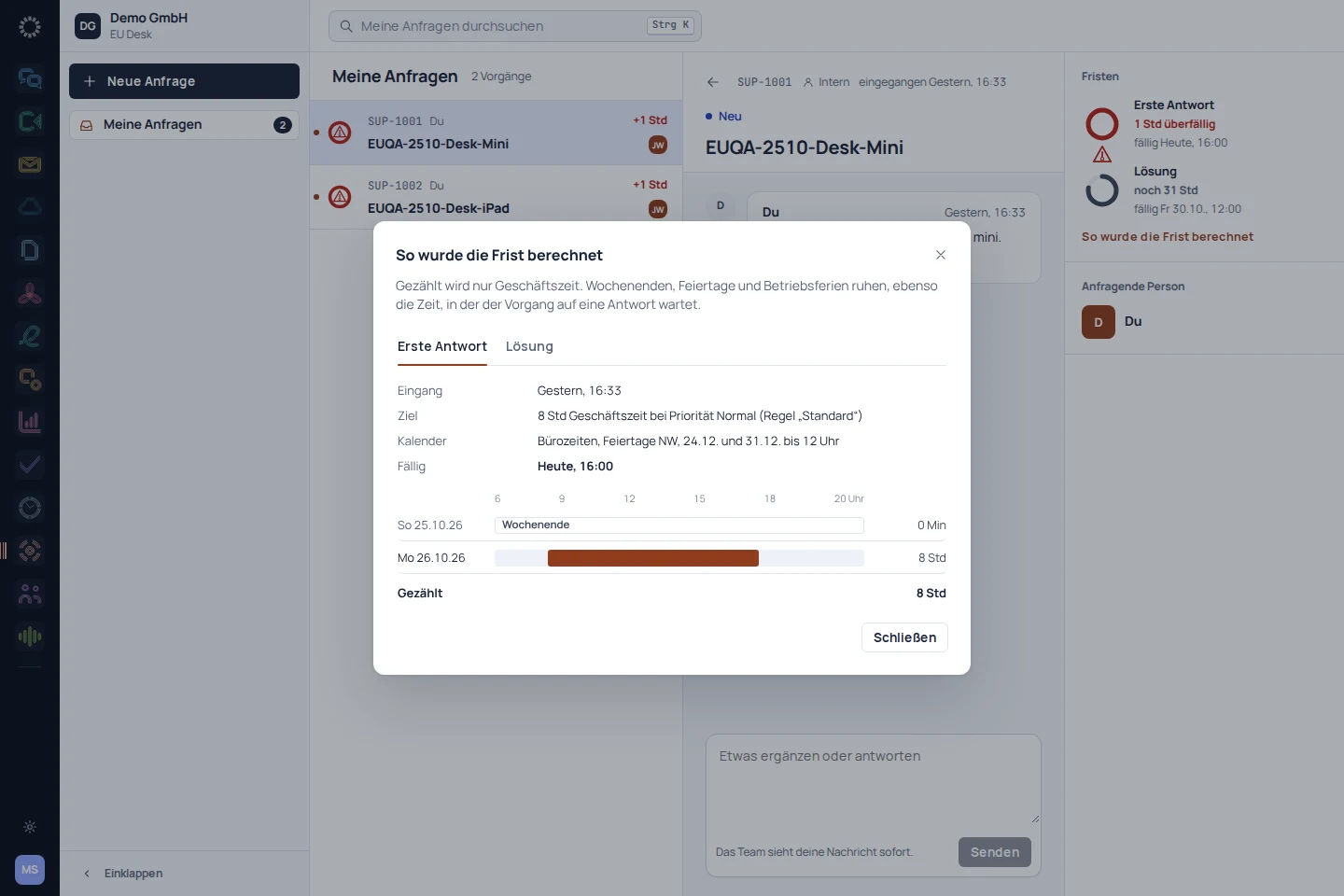
The catalogue case view shows a knowledge article during case handling. Existing knowledge can therefore inform the reply without losing sight of the specific case.
03
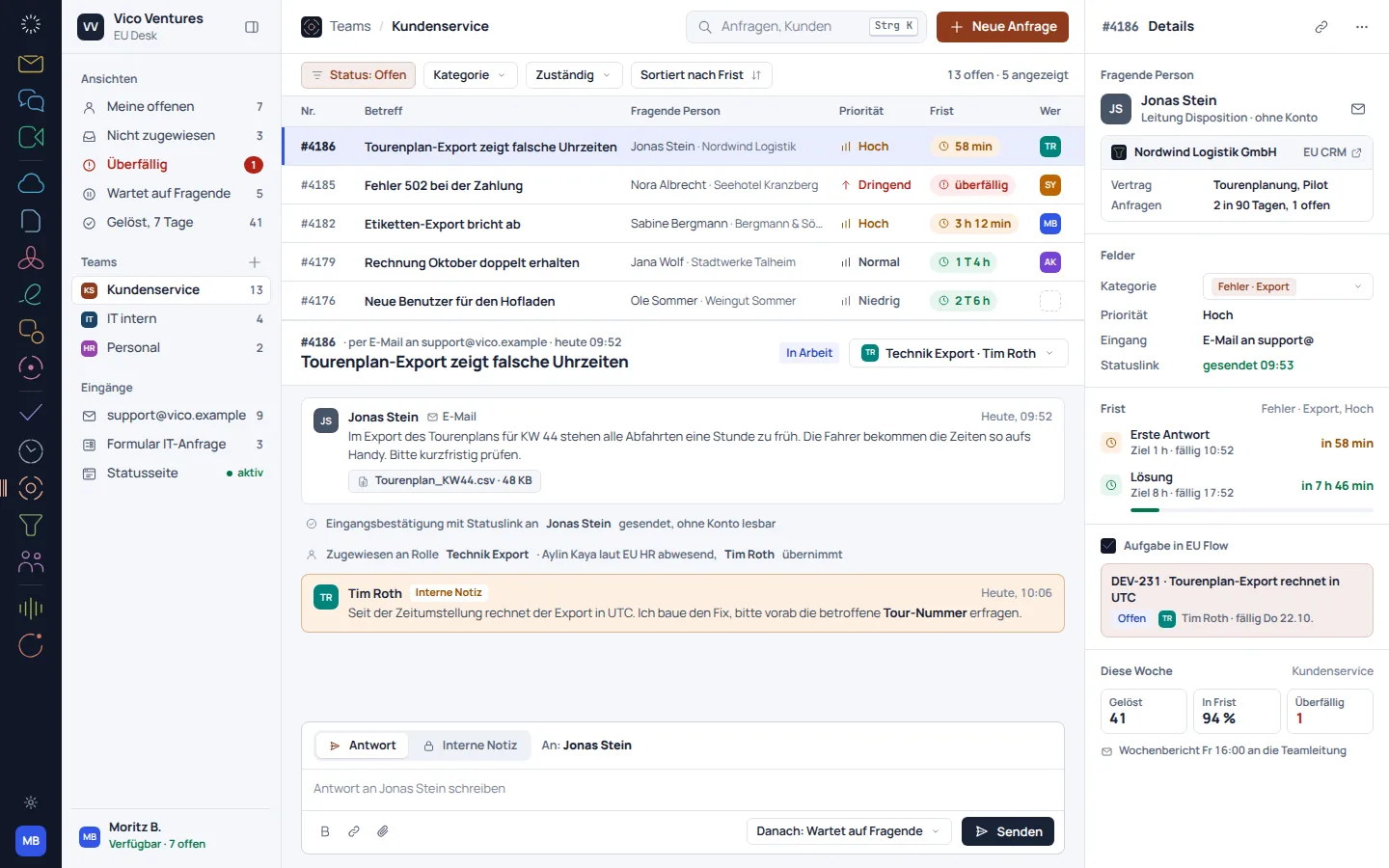
Reports bring together handling time, meeting deadlines and satisfaction. The development view shows this perspective on the work, not a guaranteed level of service.
From first step to result
Record the issue and required information as a case.
Clarify ownership, check the relevant information and record the next step.
Document the outcome and close the case with a clear status.
A smooth move starts with clarity
An automatic migration from Zendesk, Jira Service Management or Freshdesk is in preparation. For service cases, the history matters as well as the text.
Determine which open issues and completed cases need to be retained.
Compare statuses, owners, customer details and deadlines.
After a later migration, spot-check messages, attachments and timestamps.
Individually. Together. Right for you.
Free, Basic and Pro for every product. One EU Suite account connects your apps. You manage your selection and access in the Control Centre.
Plan preview · suggested price · Individual
Free
For getting started on your own
0,00 €0,00 €/ month
Free plan
Basic
For your daily work
9,00 €7,50 €/ month
When paying monthly€90.00 with annual billing
Pro
For more advanced workflows
13,50 €11,25 €/ month
When paying monthly€135.00 with annual billing
Suggested prices include 19% VAT for Germany. The commercial feature allocation is planned; binding offers and available services are shown in the control centre. No purchase is made here.
Team adds role and licence management. A 10% surcharge and at least three paid seats per product are planned. Your account type is set in your profile.
Multiple apps, one package
Compare suitable packages in the control centre before deciding.
Good to know
The key answers about EU Desk, your account and switching.
A case connects the issue with its status, owner and history. This keeps the handling traceable, even across multiple replies.
No. Contractual service commitments and the settings required for them must be agreed separately.
The Desk catalogue images used are labelled as a development version. The required workflow should be reviewed before implementation.
An automatic migration from another provider is in preparation. Message types, attachments and deadlines require a separate migration review.
Products

 Jump to EU MeetMeetings that simply start.
 Jump to EU ChatTeam conversations with structure.
 Jump to EU NotesThe team's knowledge, in one place.
 Jump to EU BoardThink, design, present.
 Jump to EU FlowProjects that work out.
 Jump to EU TrackWorking time, recorded correctly.
 Jump to EU HRRecords, leave and onboarding in one place.
 Jump to EU RecapThe minutes write themselves.
 Jump to EU AssistRoutine work done on request.
 Jump to EU SheetsSpreadsheets and reports in one.
 Jump to EU ShareStorage for the whole company.
 Jump to EU DocsWrite together, hand off cleanly.
 Jump to EU PDFEdit, sign and protect PDFs.
 Jump to EU DeskRequests with a deadline and an owner.
 Jump to EU InboxAll inboxes in one app.
 Jump to EU CRMCustomer relationships in full context.
Go to
View pricingFree, Team, Suite, EnterpriseWhy EuropeTrust CenterAll productsProduct hubOne-click moveSources per product, in preparationDocuments
Open DPAwith TOMs and subprocessorsWithdraw from contractwithout logging inCancel contracts herewithout logging inSubprocessor listwith country, including outside the EUTemplate works agreementfor the works councilDPIA templateData protection impact assessmentActions
Start for freeno credit card requiredTalk to salesDemo for organisationsToggle appearanceLight and darkNothing found.