All products Organisation
EU Track iconEU Track icon
EUTrackPart of EU Suite

Your working day. Tracked clearly.

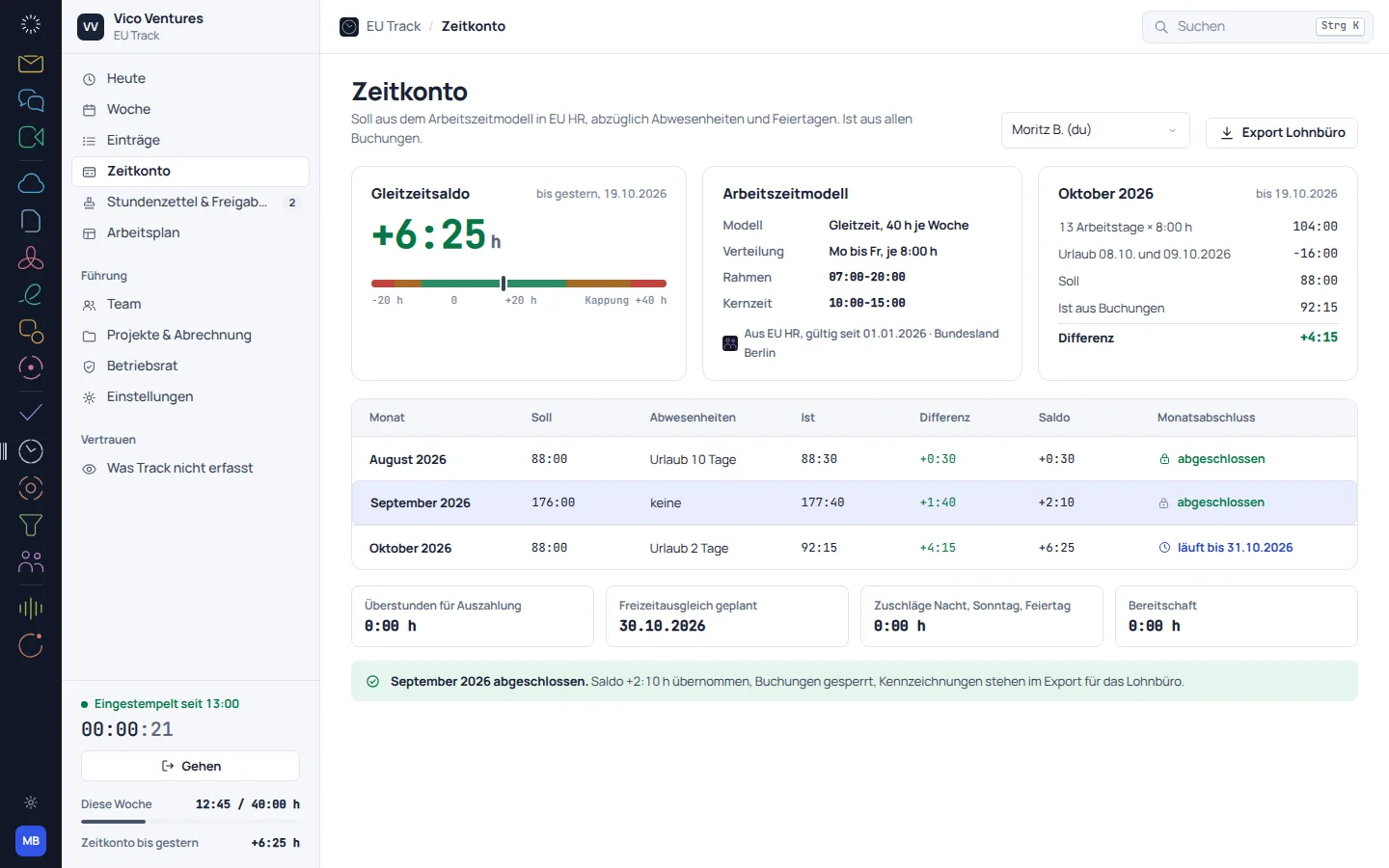
EU Track brings together time tracking for the working day, project time and a weekly overview. You can review time in context, rather than piecing it together from memory at the end of the month.

Track recorded time and review it together.

Visit the product website eu-track.de
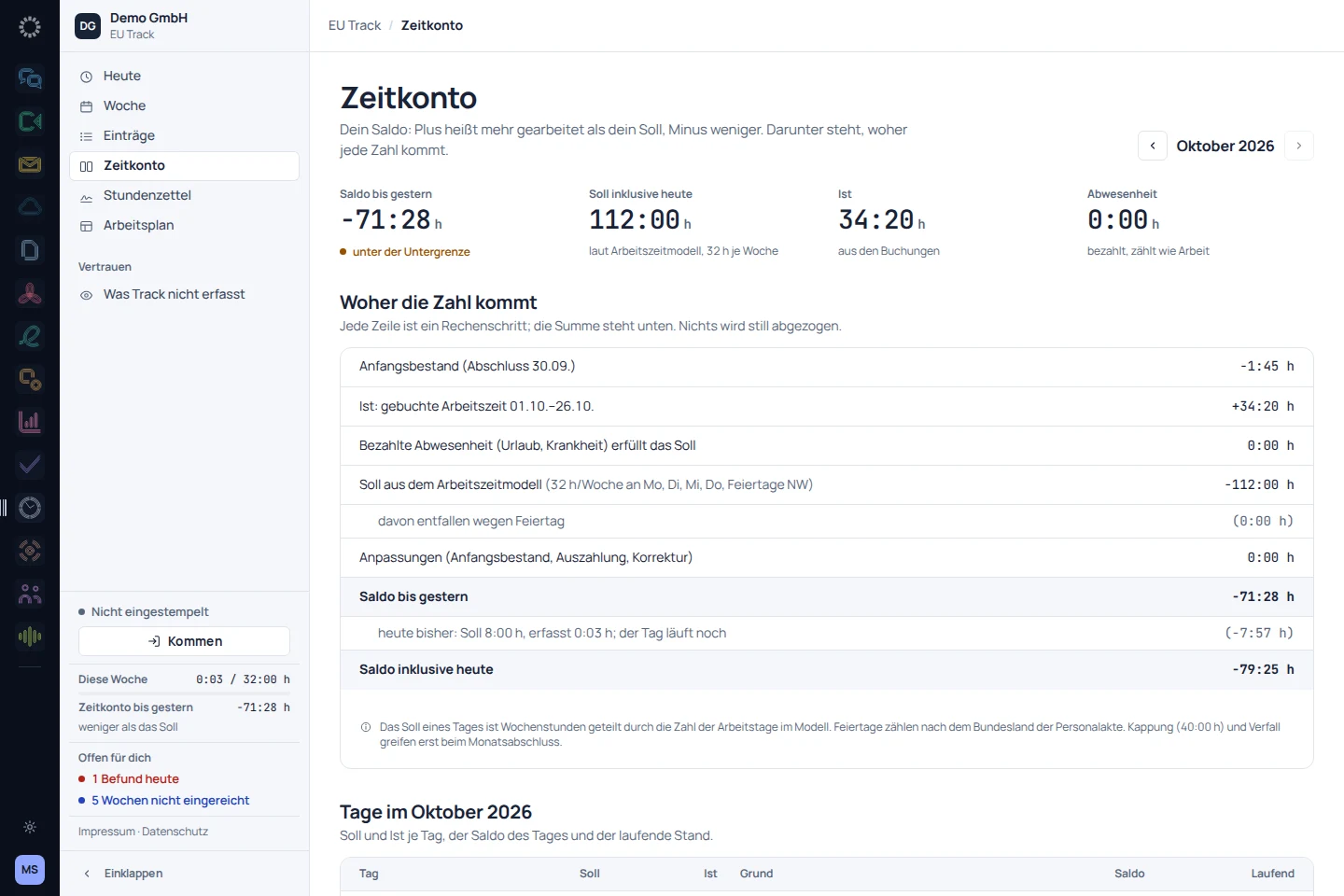
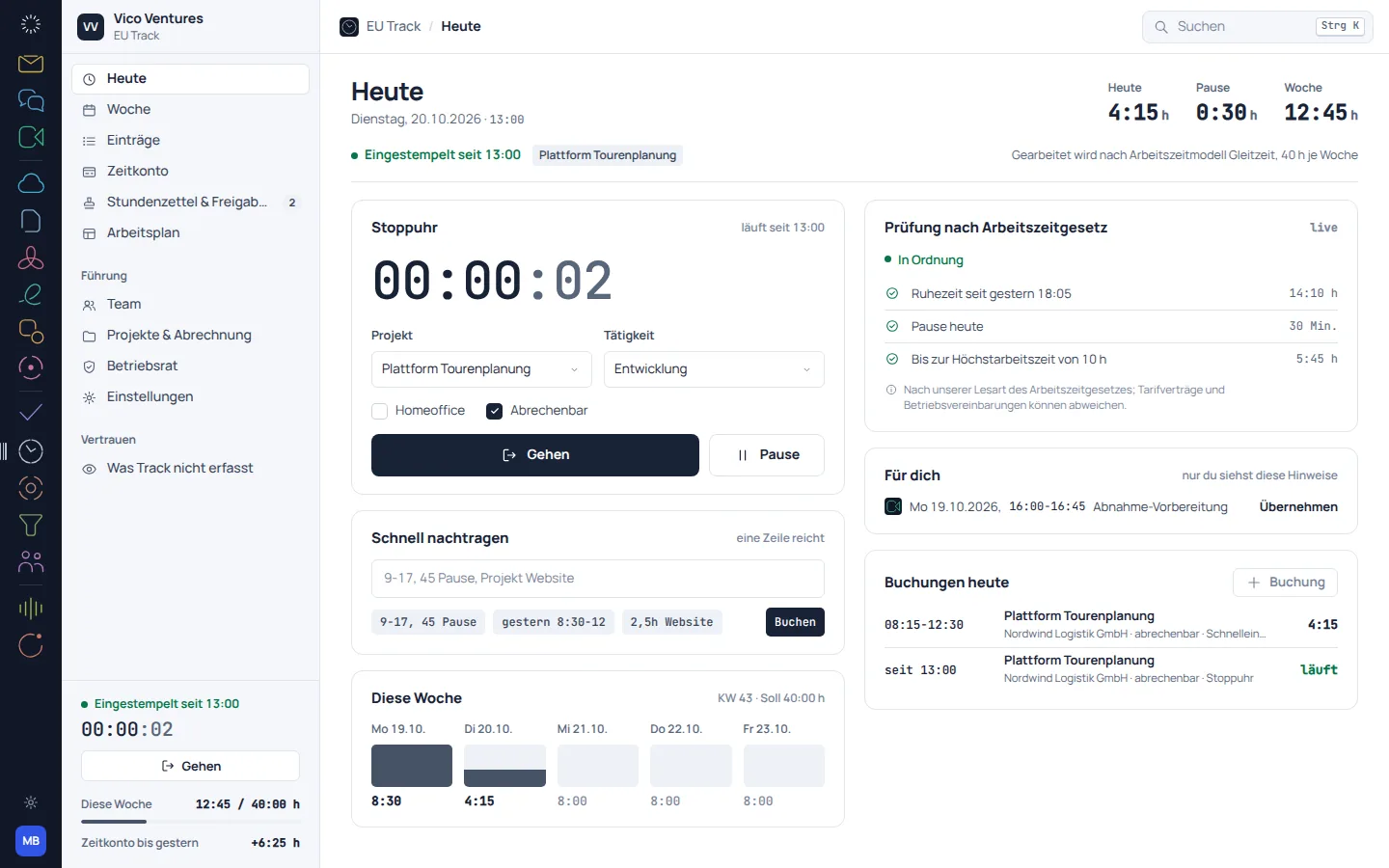
EU Track: app recording with sample data
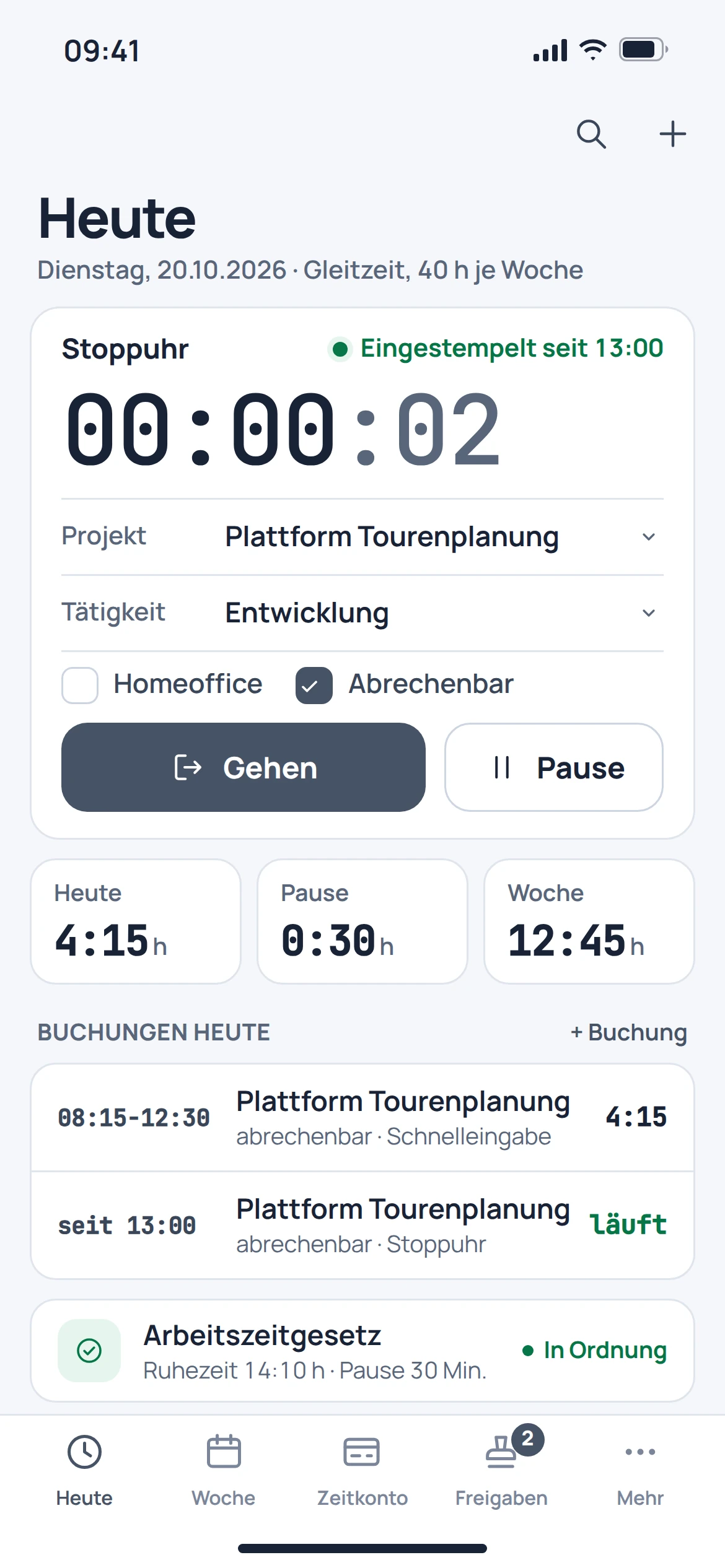
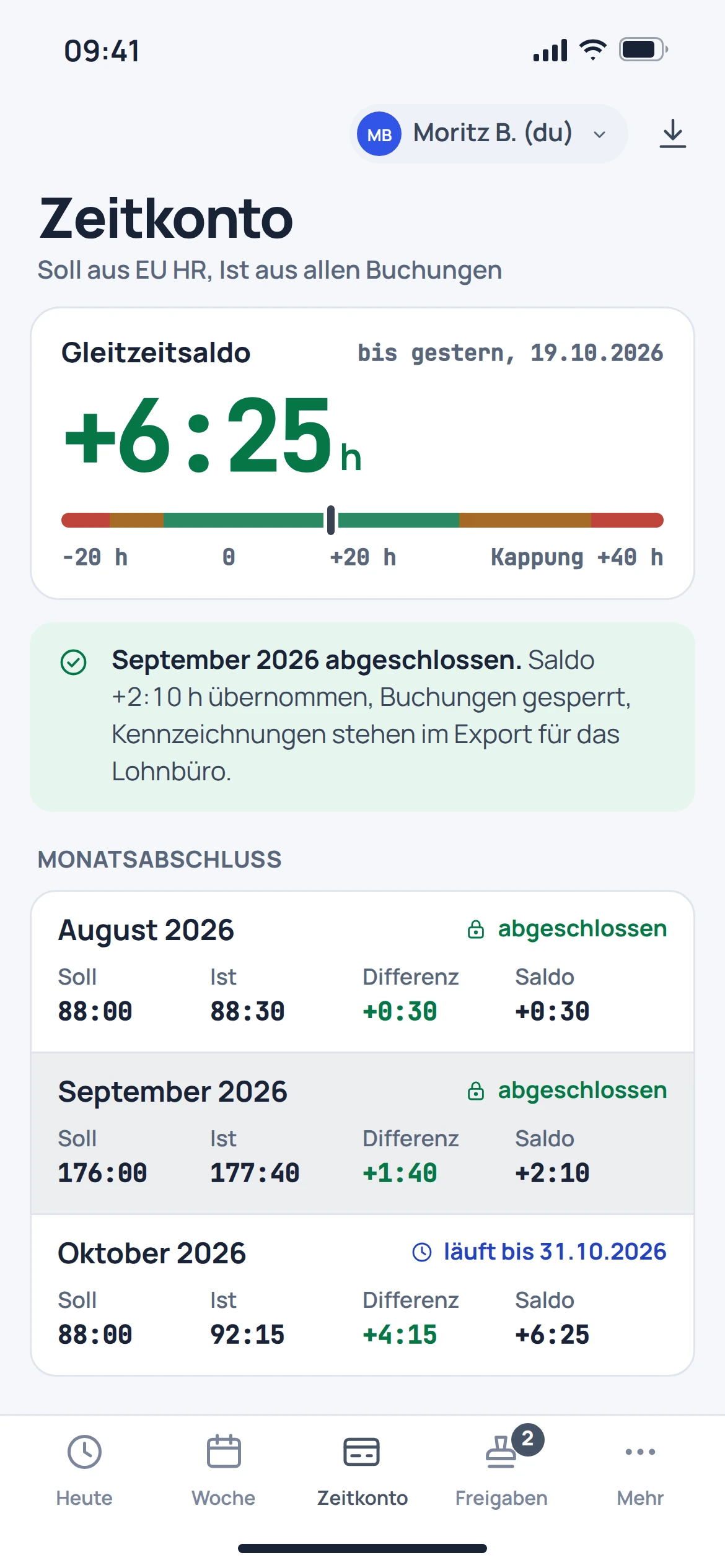
EU Track: mobile concept preview
App recording · sample dataAnimated concept · not a live app

For the work that matters

Fewer detours.
More context.

01

Track time as work happens.

The daily view centres on a running stopwatch and recorded time. The project and activity provide the necessary context for an entry.

  • Track time with the stopwatch
  • Assign a project and activity
  • Keep track of the current day
EU Track: concept preview
EU Track: mobile concept preview
Animated concept · not a live appAnimated concept · not a live app

02

See the week as a whole.

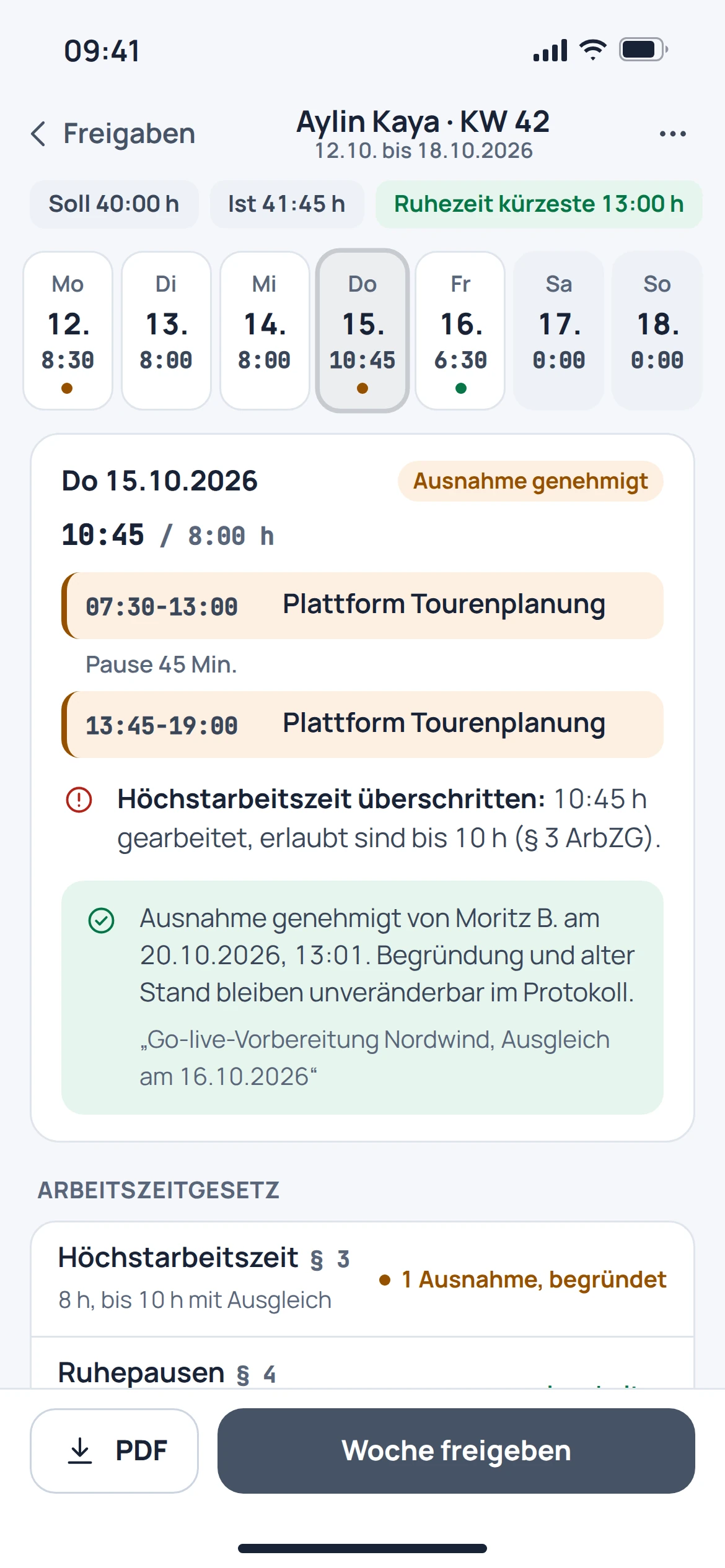
The weekly view brings individual entries together. Findings and the time balance help with checking before a week is submitted.

  • Review entries in the weekly view
  • See findings in context over time
  • Submit a reviewed week
EU Track: concept preview
EU Track: mobile concept preview
Animated concept · not a live appAnimated concept · not a live app

03

Coordinate without revealing every detail.

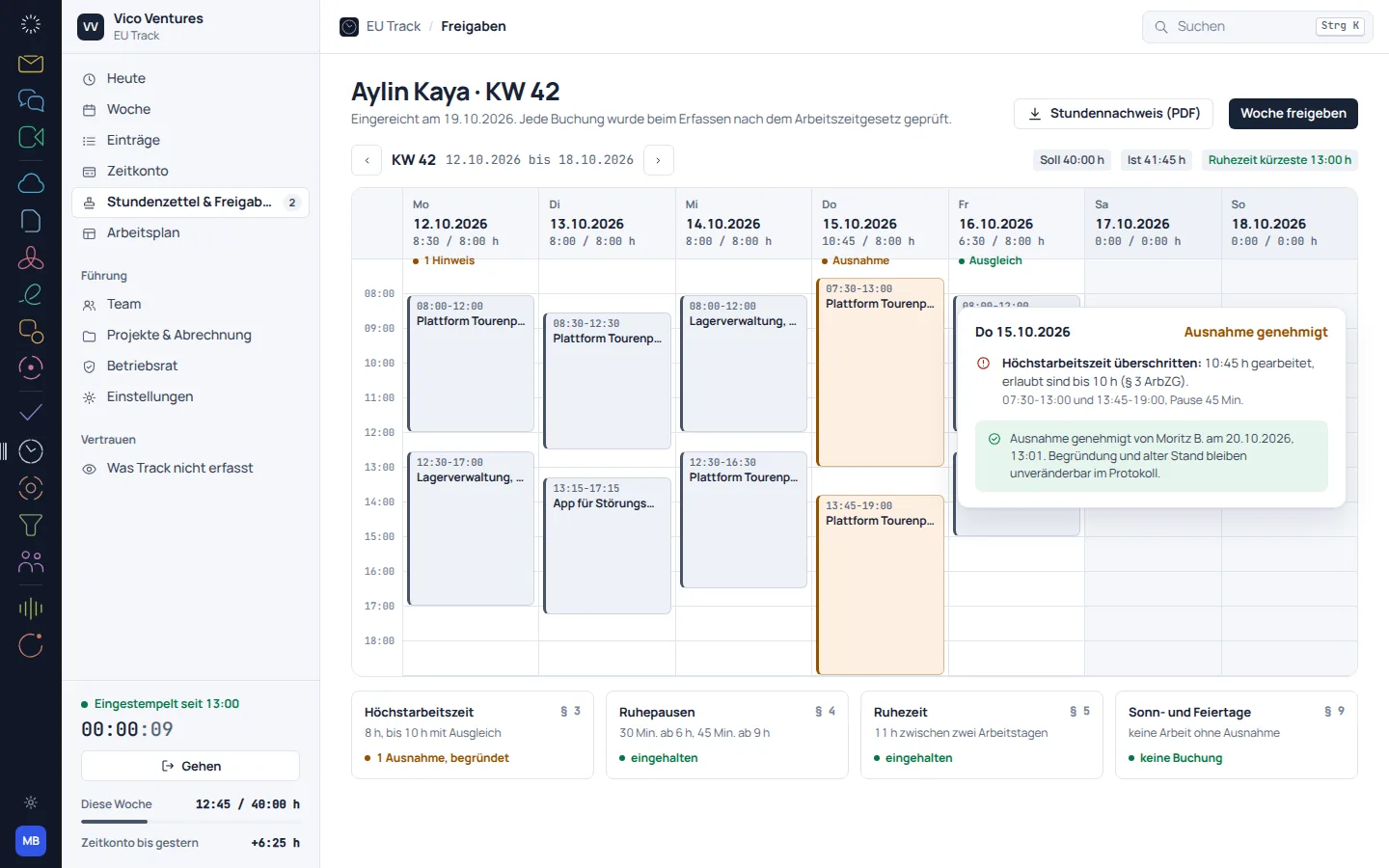
The team overview focuses on status, time balance and findings. Activity details are not the focus of this overview.

  • See team status at a glance
  • Compare time balances and findings
  • Treat approvals as a separate step
EU Track: concept preview
EU Track: mobile concept preview
Animated concept · not a live appAnimated concept · not a live app

From first step to result
Close out a week properly.

  1. 01

    Track time

    Create entries with the right project and activity.

  2. 02

    Check

    Review the weekly activity and any findings shown, and resolve discrepancies.

  3. 03

    Submit

    Submit the reviewed week for the intended approval process.

A smooth move starts with clarity

Your work comes with you.
Step by step.

An automatic move from Clockify, Toggl or Harvest is in preparation. Historical time entries should be backed up with a reference report before they are transferred.

Provider migration · In preparation
  • Clockify
  • Toggl
  • Harvest
  1. 01

    Export existing data

    Back up time entries, projects, clients and any required hourly rates from the previous application.

  2. 02

    Map the meaning

    Distinguish between project time, working time and billable entries.

  3. 03

    Reconcile totals

    Compare people, periods and project totals after a future transfer.

Check before switching

  • Take time zones and day boundaries into account
  • Explicitly assign billable status
  • Do not assume historical approvals will be transferred automatically
Plan your migration with EU Suite

Individually. Together. Right for you.

Your starting point.
Your next step.

Free, Basic and Pro for every product. One EU Suite account connects your apps. You manage your selection and access in the Control Centre.

Billing period for plan preview

Plan preview · suggested price · Individual

Free

For getting started on your own

0,00 €0,00 €/ month

Free plan

  • Track your own time
  • Personal overview
View access options

Basic

For your daily work

4,68 €3,90 €/ month

When paying monthly€46.80 with annual billing

  • Your own project reports
  • Advanced time analysis
View plan details

Pro

For more advanced workflows

7,02 €5,85 €/ month

When paying monthly€70.20 with annual billing

  • Team approvals and planning
  • Organisation-wide analysis
View plan details

Suggested prices include 19% VAT for Germany. The commercial feature allocation is planned; binding offers and available services are shown in the control centre. No purchase is made here.

Work together?

Team adds role and licence management. A 10% surcharge and at least three paid seats per product are planned. Your account type is set in your profile.

View Team plans

Multiple apps, one package

A good fit.

Compare suitable packages in the control centre before deciding.

Good to know

Before you
get started.

The key answers about EU Track, your account and switching.

Does Track replace a legal review?

No. Notices and findings support the review of recorded hours. Working time models, workplace rules and legal requirements must be configured and assessed appropriately.

Why are project time and working time distinguished?

A project time entry describes the activity. Reviewing the working day also covers factors such as breaks and the course of the day.

Can my team see all activity details?

The catalogue team overview focuses on status, time balance and findings. Actual access depends on the permissions granted.

Can I transfer old Clockify time entries right away?

An automatic provider import is in preparation. Before any future transfer, back up the export and reference totals.

EU Track · Part of EU Suite

Your next step

starts here.