All products Files
EU PDF iconEU PDF icon
EUPDFPart of EU Suite

One document. Right through to the final correction.

EU PDF brings together the work involved in existing PDFs: edit text, organise pages, fill in forms and redact content. The focus is on the file you want to share at the end.

Edit PDFs and check the result before sharing.

Visit the product website eu-pdf.de
EU PDF: app recording with sample data
EU PDF: mobile concept preview
App recording · sample dataAnimated concept · not a live app

For the work that matters

Fewer detours.
More context.

01

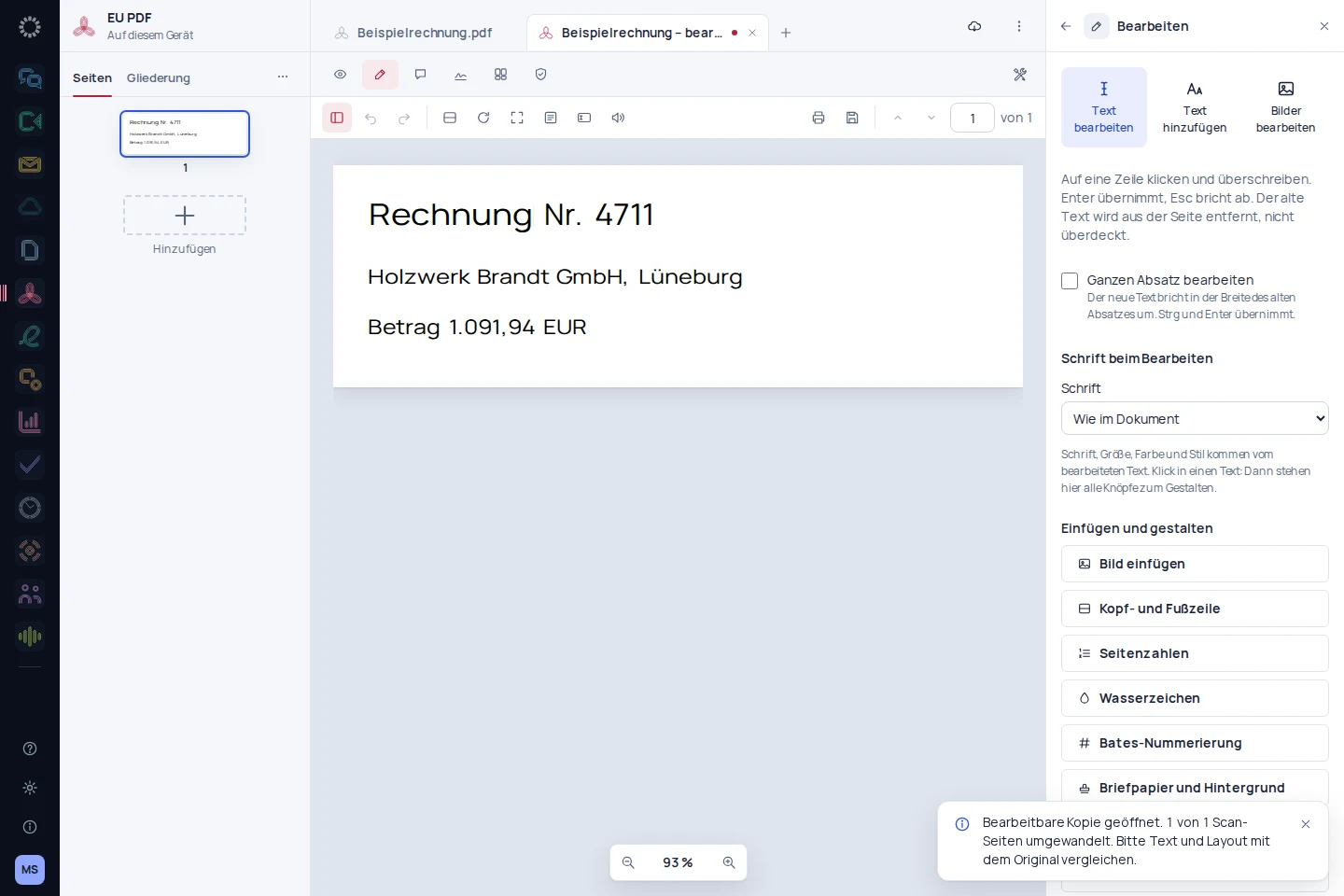
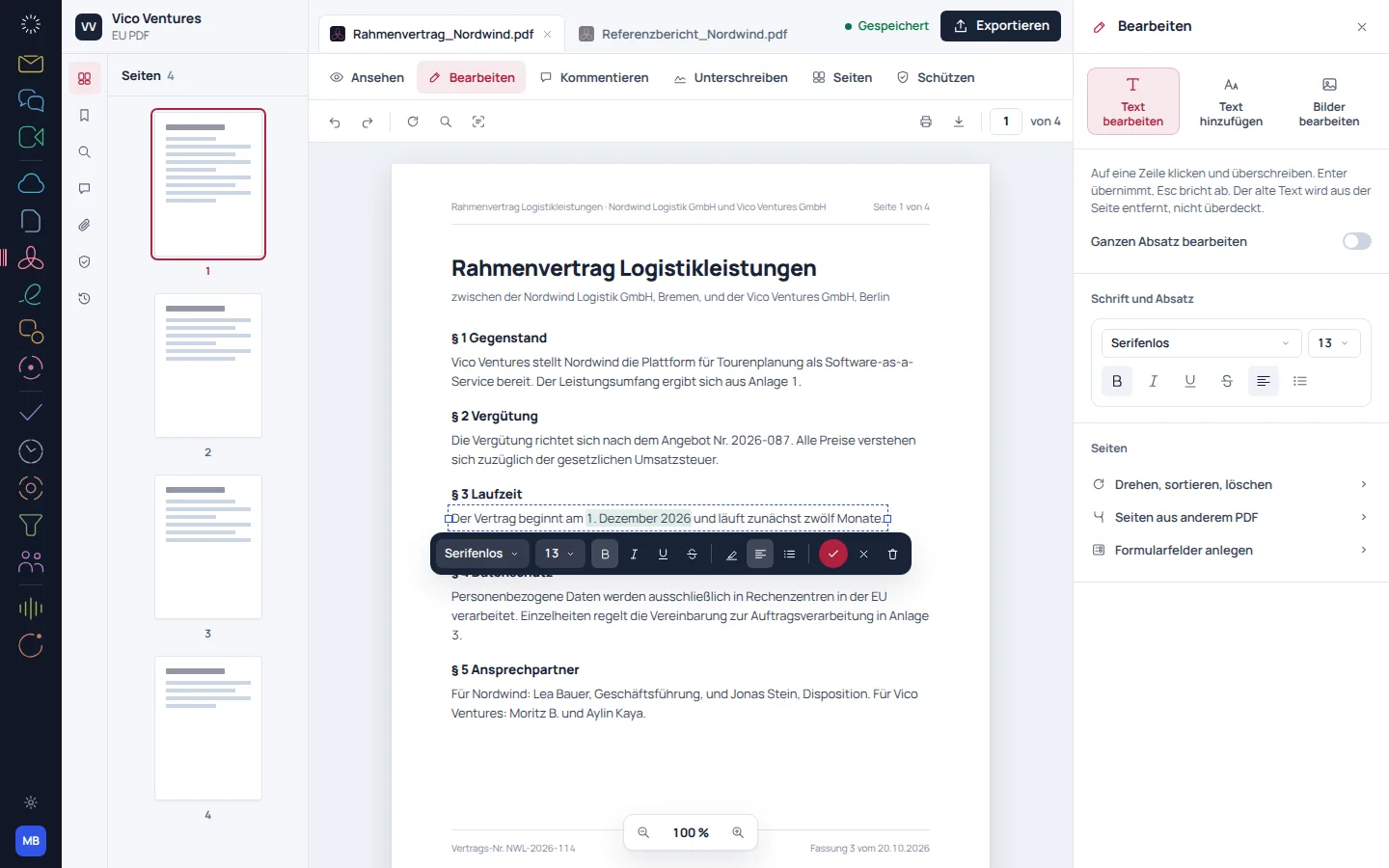
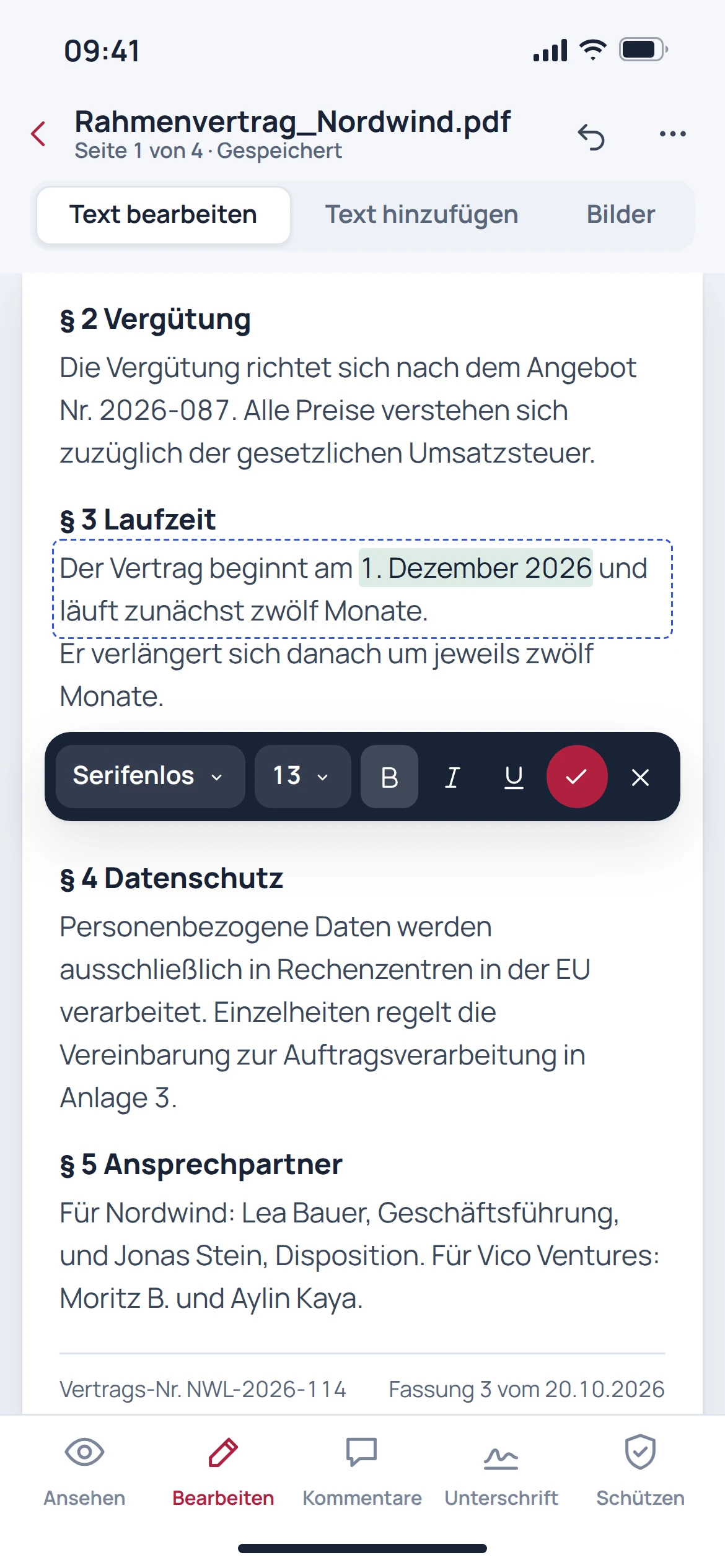
Corrections belong directly in the document.

Edit existing text and rearrange pages without opening a different tool for every step. The page overview helps you review longer documents in context.

  • Edit text in the file
  • Arrange and assemble pages
  • Review the result in the page overview
EU PDF: concept preview
EU PDF: mobile concept preview
Animated concept · not a live appAnimated concept · not a live app

02

From form to finished version.

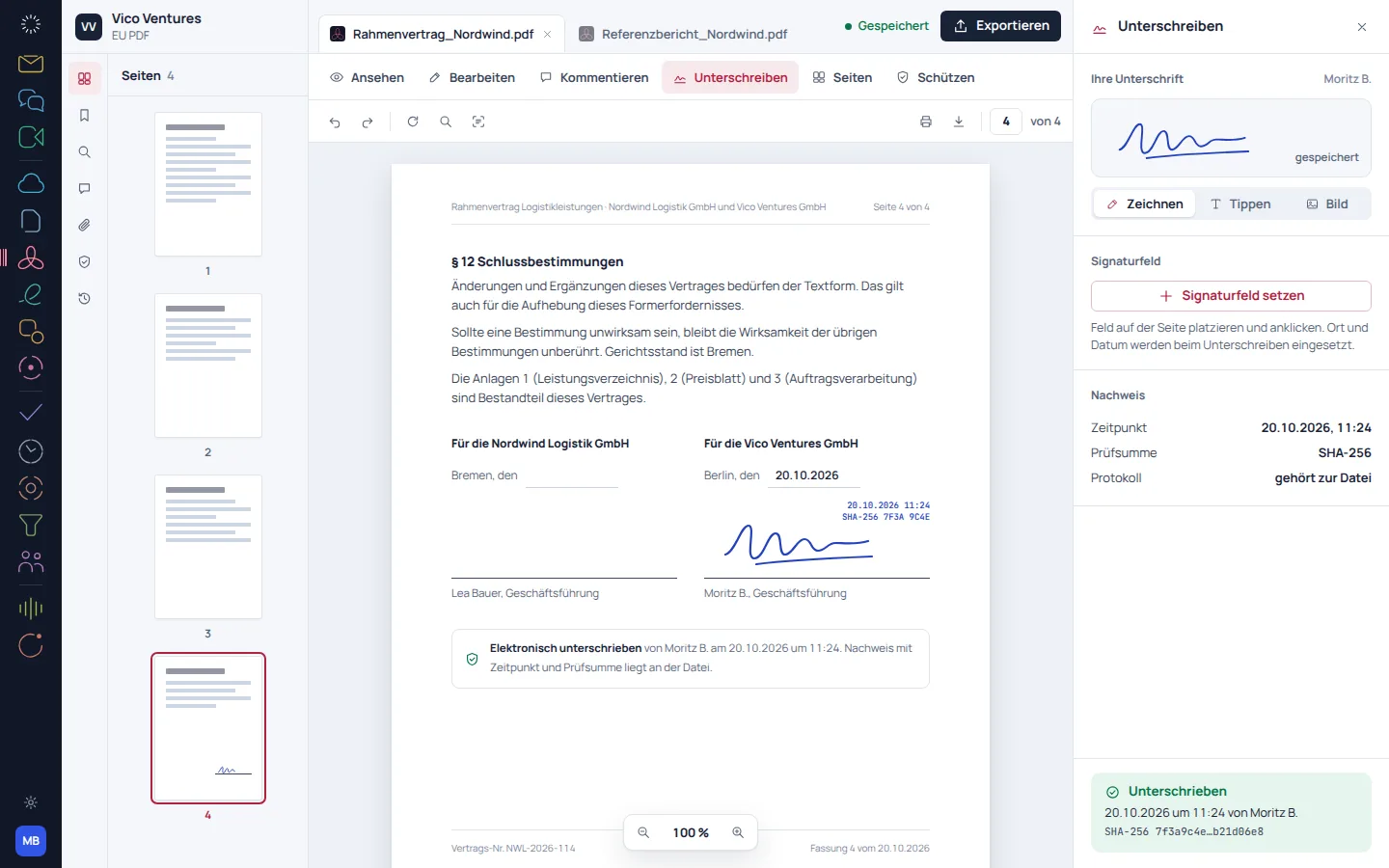
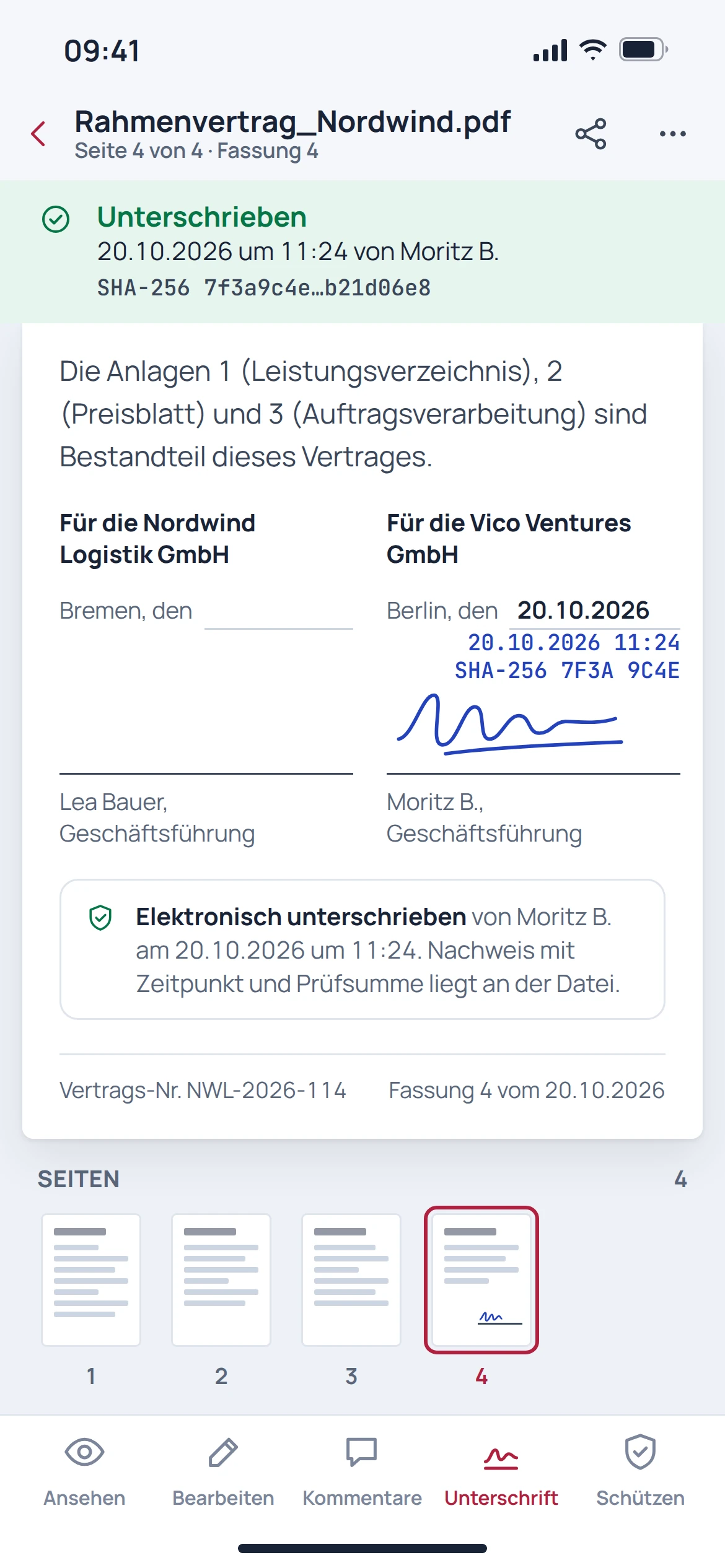
Fill in forms and place a drawn signature in the appropriate position. The process shown describes a visible signature, not an automatically qualified electronic signature.

  • Fill in form fields
  • Draw and place a signature
  • Check the date and the exported version
EU PDF: concept preview
EU PDF: mobile concept preview
Animated concept · not a live appAnimated concept · not a live app

03

Remove confidential information before sharing.

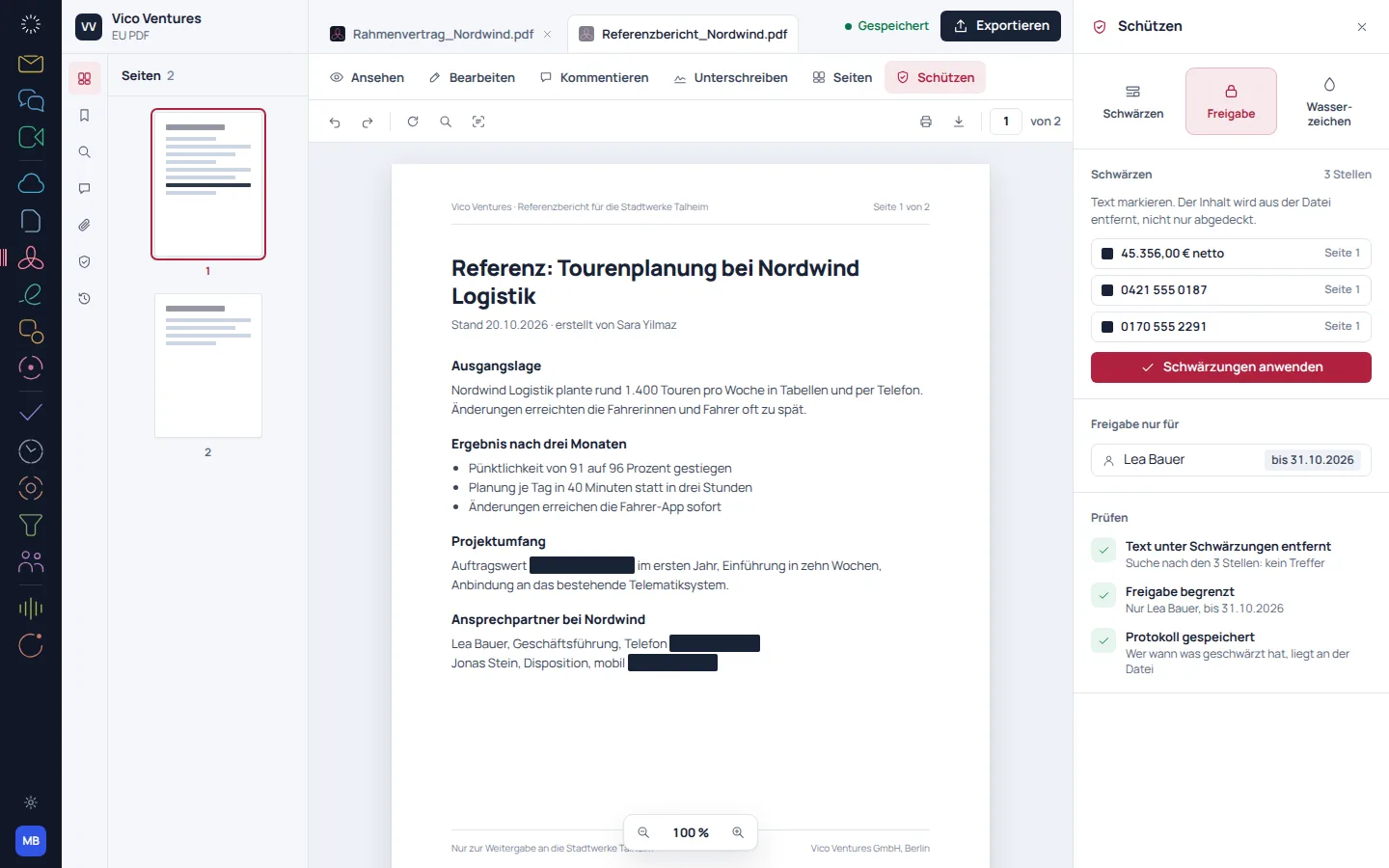
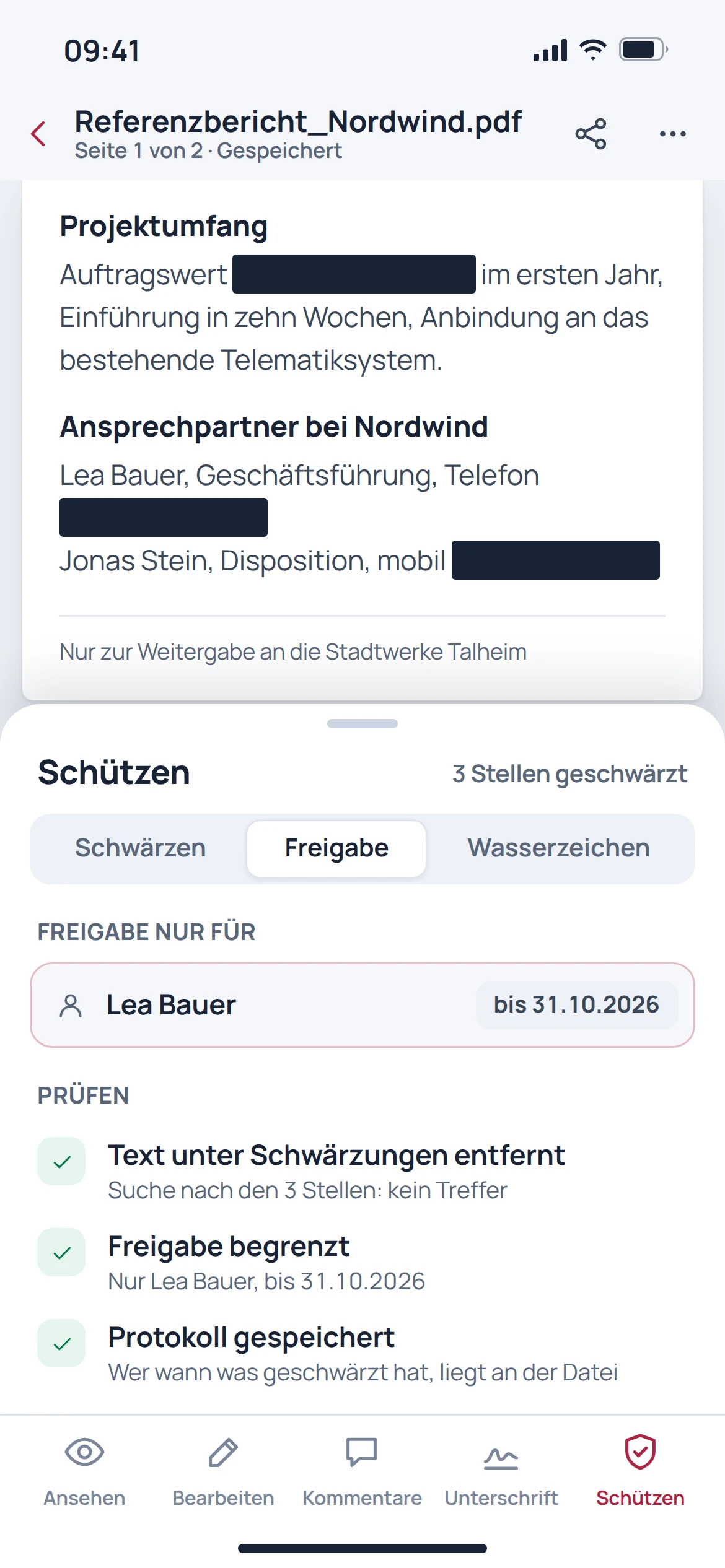
Redaction is more than a dark rectangle. The process described removes marked content; the exported file should then be specifically checked for text, searchability and any remaining information.

  • Mark content to be removed
  • Apply redaction deliberately
  • Check the exported file again

EU PDF: concept preview
EU PDF: mobile concept preview
Animated concept · not a live appAnimated concept · not a live app

From first step to result

Prepare a PDF for sharing.

  1. 01

    Open and review

    Determine the pages and changes required.

  2. 02

    Processing

    Edit text, forms or pages, and redact confidential information if needed.

  3. 03

    Check the output

    Reopen the saved file and check the changes made.

A smooth move starts with clarity

Your work comes with you.
Step by step.

No storage service change is needed for existing PDF files. However, an automatic migration from Acrobat, including settings and templates, is not guaranteed.

Provider migration · In preparation
  • Adobe Acrobat
  1. 01

    Keep the original

    Keep the unchanged PDF file as a reference.

  2. 02

    Check a typical file

    Open a representative file with forms, fonts or signature fields.

  3. 03

    Compare the result

    Check the edited and exported versions, including form behaviour and visible content.

Check before switching

  • Keep the original file
  • Consider existing digital signatures before making changes
  • Check redactions separately in the exported file

Plan your migration with EU Suite

Individually. Together. Right for you.

Your starting point.
Your next step.

Free, Basic and Pro for every product. One EU Suite account connects your apps. You manage your selection and access in the Control Centre.

Billing period for plan preview

Plan preview · suggested price · Individual

Free

For getting started on your own

0,00 €0,00 €/ month

Free plan

  • Open, read and comment on PDFs
  • Fill in forms and export locally
View access options

Basic

For your daily work

22,92 €19,10 €/ month

When paying monthly€229.20 with annual billing

  • Edit and assemble pages
  • Convert your own documents
View plan details

Pro

For more advanced workflows

34,38 €28,65 €/ month

When paying monthly€343.80 with annual billing

  • OCR and redaction
  • Advanced document workflows
View plan details

Suggested prices include 19% VAT for Germany. The commercial feature allocation is planned; binding offers and available services are shown in the control centre. No purchase is made here.

Work together?

Team adds role and licence management. A 10% surcharge and at least three paid seats per product are planned. Your account type is set in your profile.

View Team plans

Multiple apps, one package

A good fit.

Compare suitable packages in the control centre before deciding.

Good to know

Before you
get started.

The key answers about EU PDF, your account and switching.

Is a drawn signature a qualified signature?

No. A visible drawing alone is not a qualified electronic signature. Special signature requirements call for a suitable process.

Is a black rectangle enough to redact something?

No. Confidential content must actually be removed. The output file should then be checked again.

Do I need to move my existing file storage?

This is not necessary for working with existing PDF files. Automatic storage connections and provider migrations are separate features.

Does every PDF come out unchanged after editing?

Pixel-perfect editing is not guaranteed for arbitrary PDFs. Pay particular attention to special fonts, forms and files that have already been signed.

EU PDF · Part of EU Suite

Your next step
starts here.