All products People
EU HR iconEU HR icon
EUHRPart of EU Suite

Time for people. Organisation for HR.

EU HR brings together personnel information and absences. The beta focuses on transparent processes: information in the right place, a shared calendar and access granted deliberately.

Manage HR processes clearly, with appropriate access.

To the product website eu-hr.de
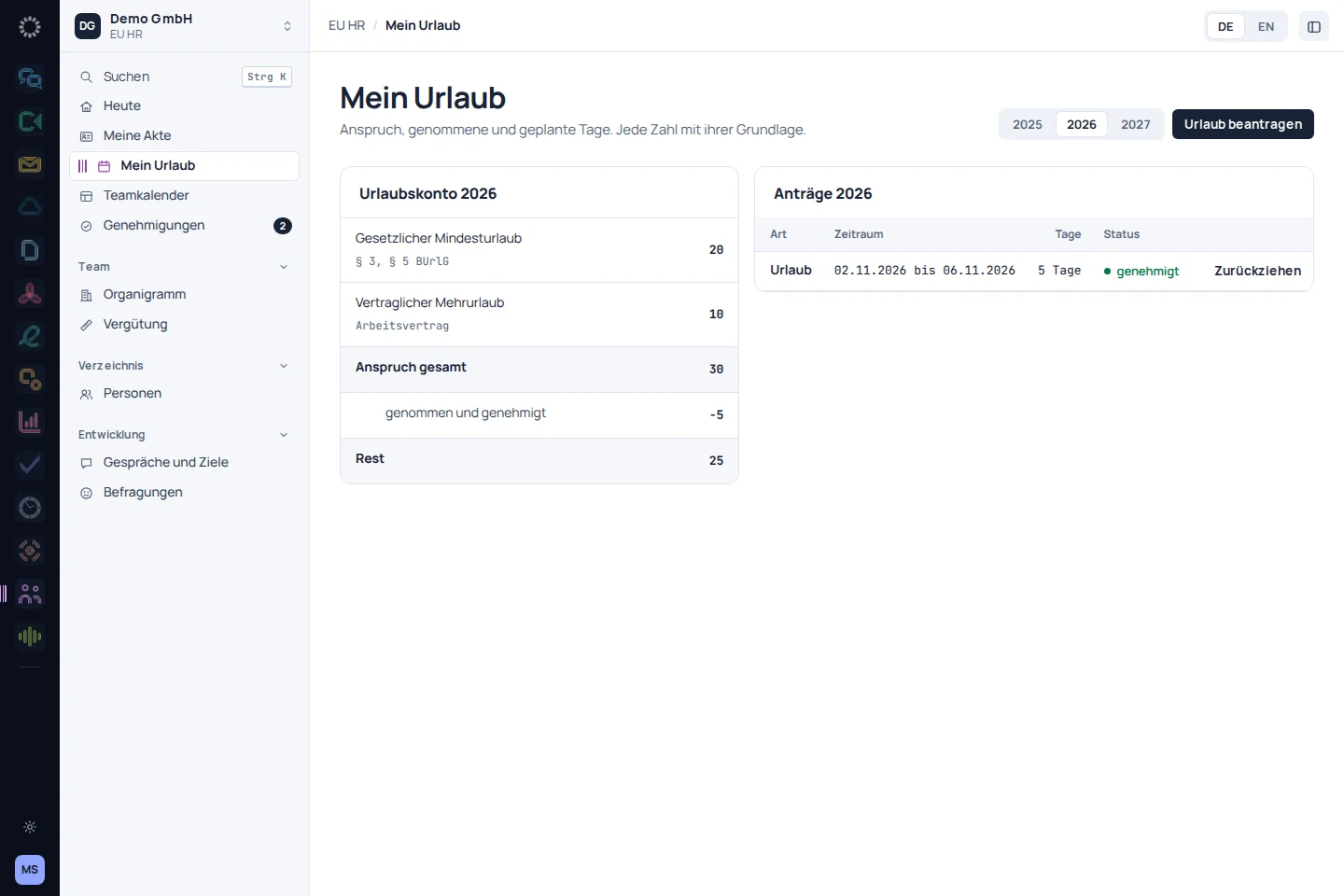
EU HR: app recording with sample data
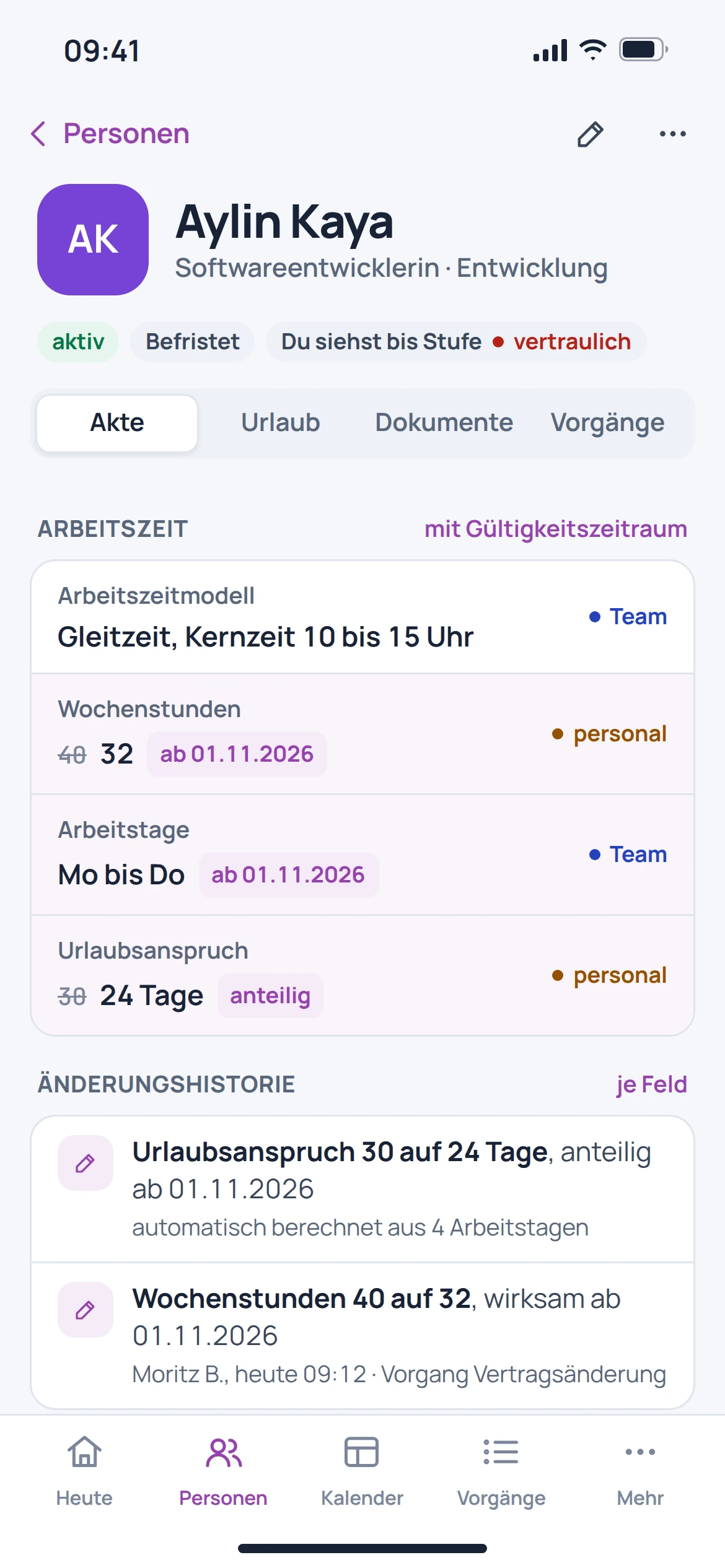
EU HR: mobile concept preview
App recording · sample dataAnimated concept · not a live app

For the work that matters

Fewer detours.
More context.

EU HR is marked as a beta. Its introduction, permissions and required processes should be reviewed before wider use.

01

A file with clear access controls.

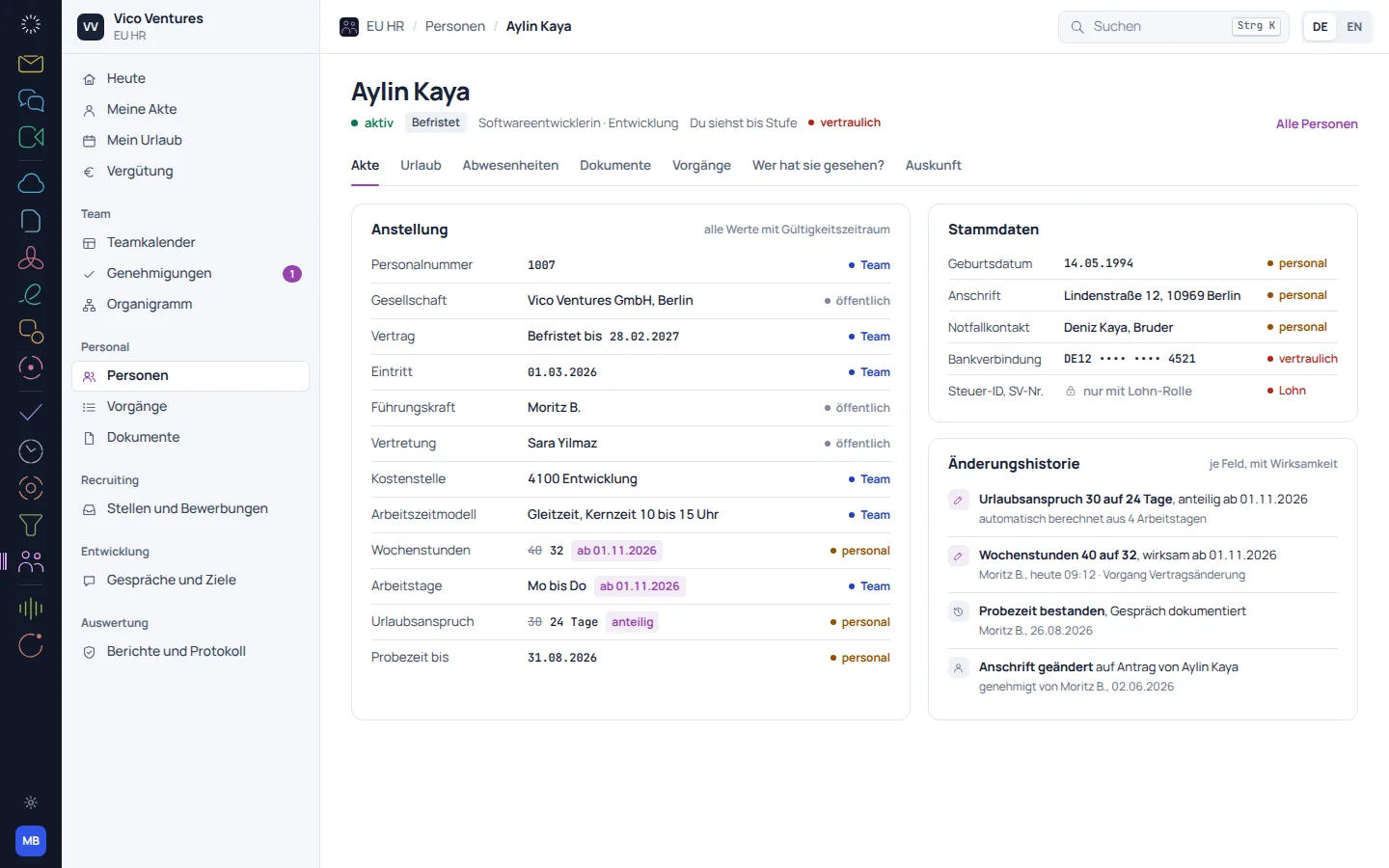
The personnel file organises information and documents for an individual. The catalogue-listed permissions view shows that sensitive information should not be equally visible to everyone.

  • Organise personnel information together
  • Keep documents with the person
  • Review visibility levels and permissions carefully
EU HR: concept preview
EU HR: mobile concept preview
Animated concept · not a live appAnimated concept · not a live app

02

Absences become easier to plan.

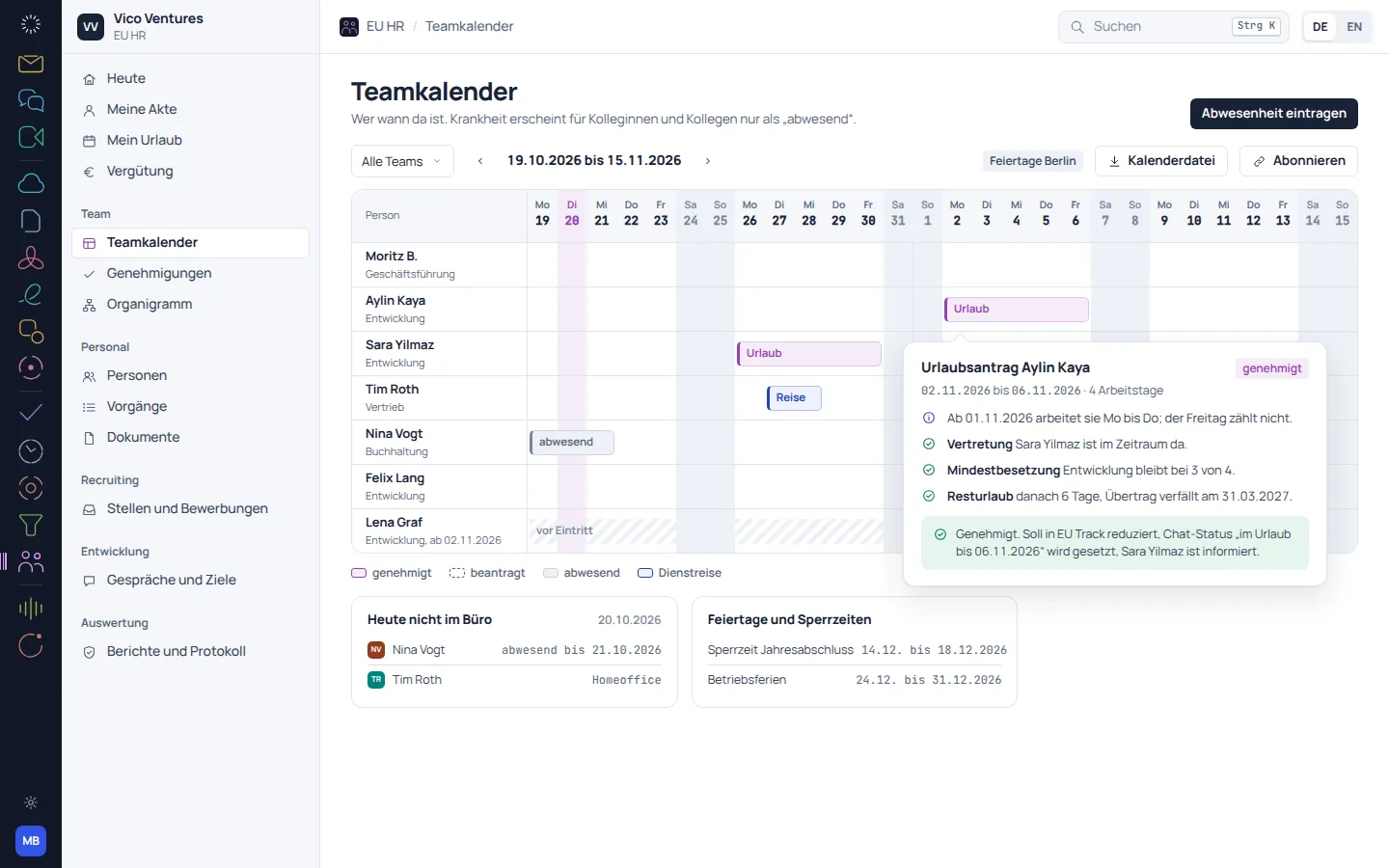
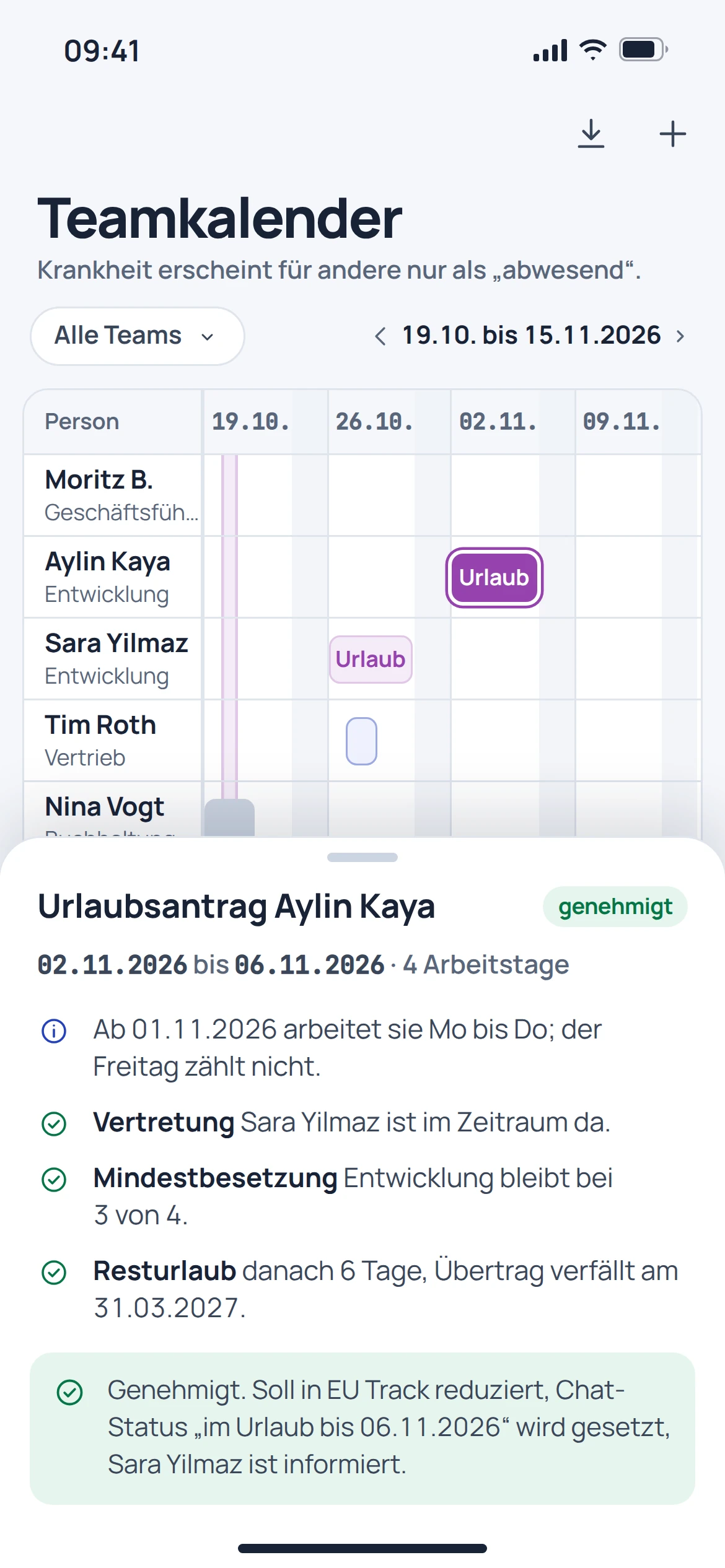
The team calendar shows requested and approved leave. This makes it possible to consider requests in the context of team staffing.

  • View requests in the team calendar
  • Distinguish between requested and approved
  • Resolve overlaps together
EU HR: concept preview
EU HR: mobile concept preview
Animated concept · not a live appAnimated concept · not a live app

03

Getting started follows a process.

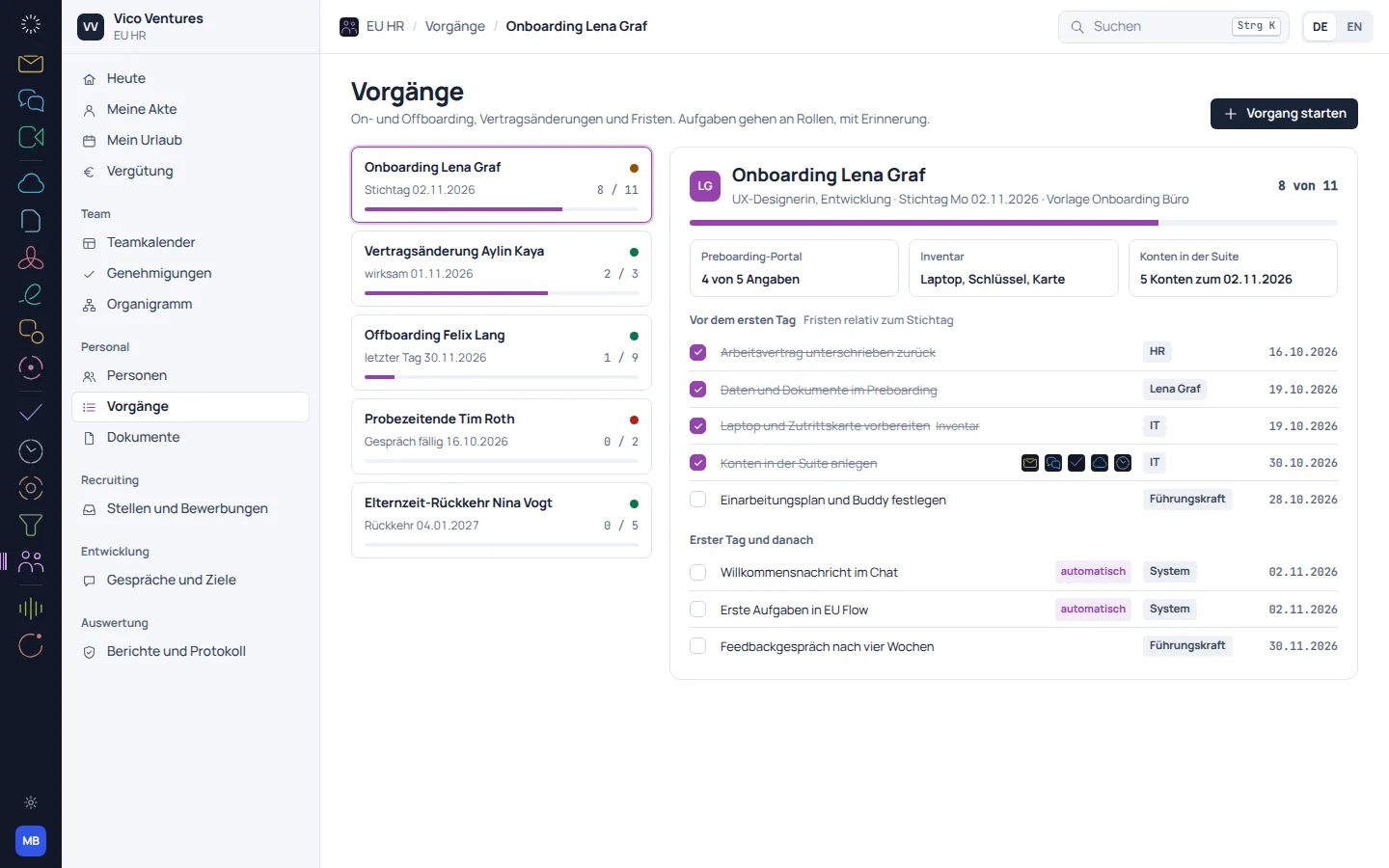
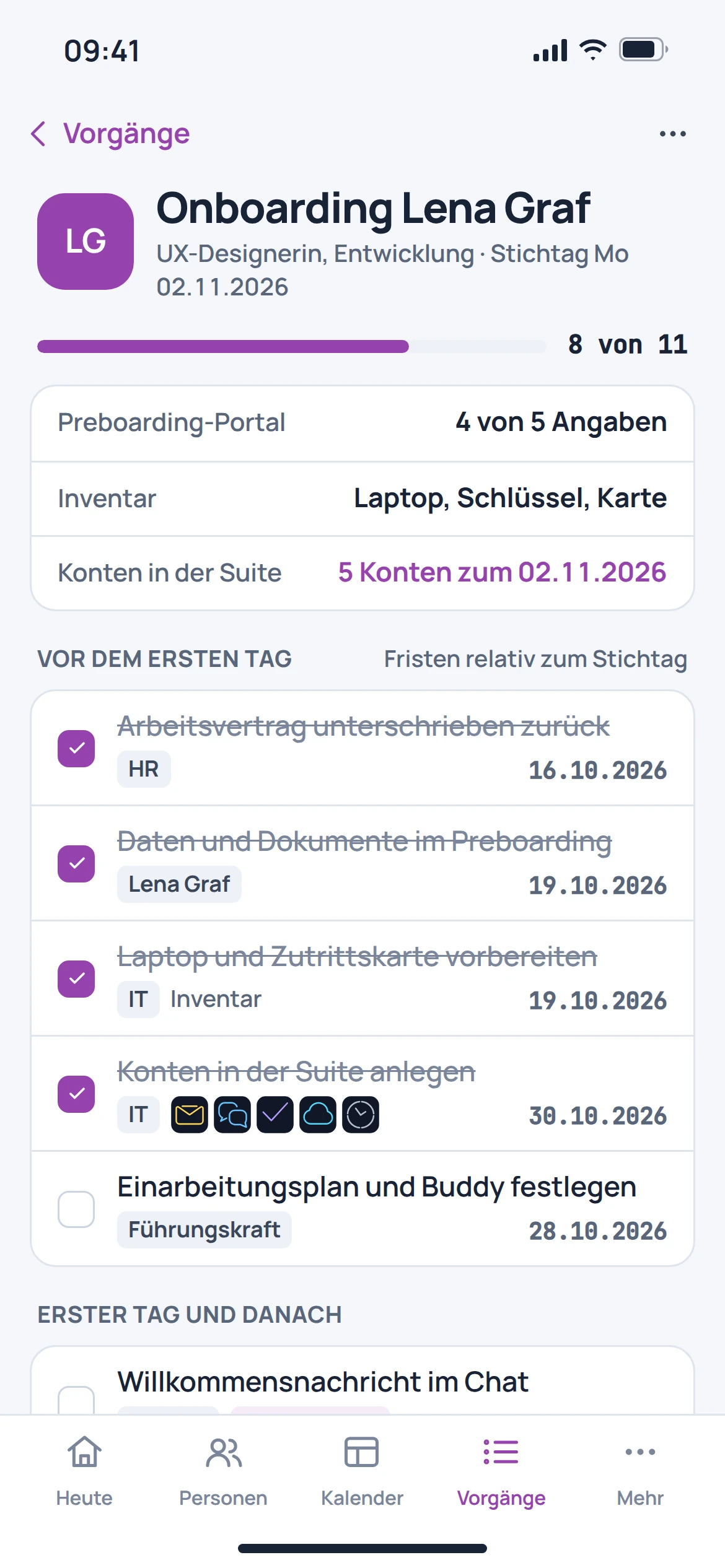
The product documentation describes tasks and checklists for onboarding and offboarding. Assigning responsibilities helps avoid having to compile recurring steps from scratch each time.

  • Organise recurring steps as a checklist
  • Record who is responsible for tasks
  • Track outstanding steps

EU HR: concept preview
EU HR: mobile concept preview
Animated concept · not a live appAnimated concept · not a live app

From first step to result

Track a leave request.

  1. 01

    Requests

    Enter the requested period and the required information.

  2. 02

    Review

    Review the request in the context of the team and resolve any questions.

  3. 03

    Keep track

    Find the processed request again in the calendar and the designated history.

A smooth move starts with clarity

Your work comes with you.
Step by step.

An automatic move from Personio or HRworks is in preparation. Given the sensitive information involved, preparation should already be restricted to a clearly defined group of people.

Provider migration · In preparation
  • Personio
  • HRworks
  1. 01

    Define the scope

    Determine which personal details, contract documents and absences are actually needed.

  2. 02

    Clarify access

    Name the people responsible for exporting, reviewing and accessing the data later.

  3. 03

    Check selectively

    Use a limited test set to check fields, balances and document associations.

Check before switching

  • Process sensitive documents only with authorisation
  • Reconcile absence balances separately
  • Review new access permissions before approval
Plan your migration with EU Suite

Individually. Together. Right for you.

Your starting point.
Your next step.

Free, Basic and Pro for every product. One EU Suite account connects your apps. You manage your selection and access in the Control Centre.

Billing period for plan preview

Plan preview · suggested price · Individual

Free

For getting started on your own

0,00 €0,00 €/ month

Free plan

  • Manage your own contact details
  • Personal self-service
View access options

Basic

For your daily work

7,20 €6,00 €/ month

When paying monthly€72.00 when billed annually

  • Additional personal documents
  • Personal requests
View plan details

Pro

For more advanced workflows

10,80 €9,00 €/ month

When paying monthly€108.00 when billed annually

  • Team HR management
  • Recruiting and authorised personnel files
View plan details

Suggested prices include 19% VAT for Germany. The commercial feature allocation is planned; binding offers and available services are shown in the control centre. No purchase is made here.

Work together?

Team adds role and licence management. A 10% surcharge and at least three paid seats per product are planned. Your account type is set in your profile.

View Team plans

Multiple apps, one package

A good fit.

Compare suitable packages in the control centre before deciding.

Good to know

Before you
get started.

The key answers about EU HR, your account and switching.

What stage of development is EU HR at?

EU HR is marked as a beta in the product catalogue. Its introduction should therefore begin with a clearly defined workflow.

Can all employees see every personnel file?

Access must be assigned according to roles and responsibilities. The catalogue-listed file includes visibility levels and a permissions view for this purpose.

Is HR also a complete payroll service?

This page does not promise a complete payroll service. The focus is on personnel information and the processes described.

Are leave balances from Personio transferred automatically?

An automatic move from another provider is in preparation. Balances should be checked separately against a reference point.

EU HR · Part of EU Suite

Your next step
starts here.