All products Knowledge
EU Notes iconEU Notes icon
EUNotesPart of EU Suite

So knowledge doesn’t disappear with the tab.

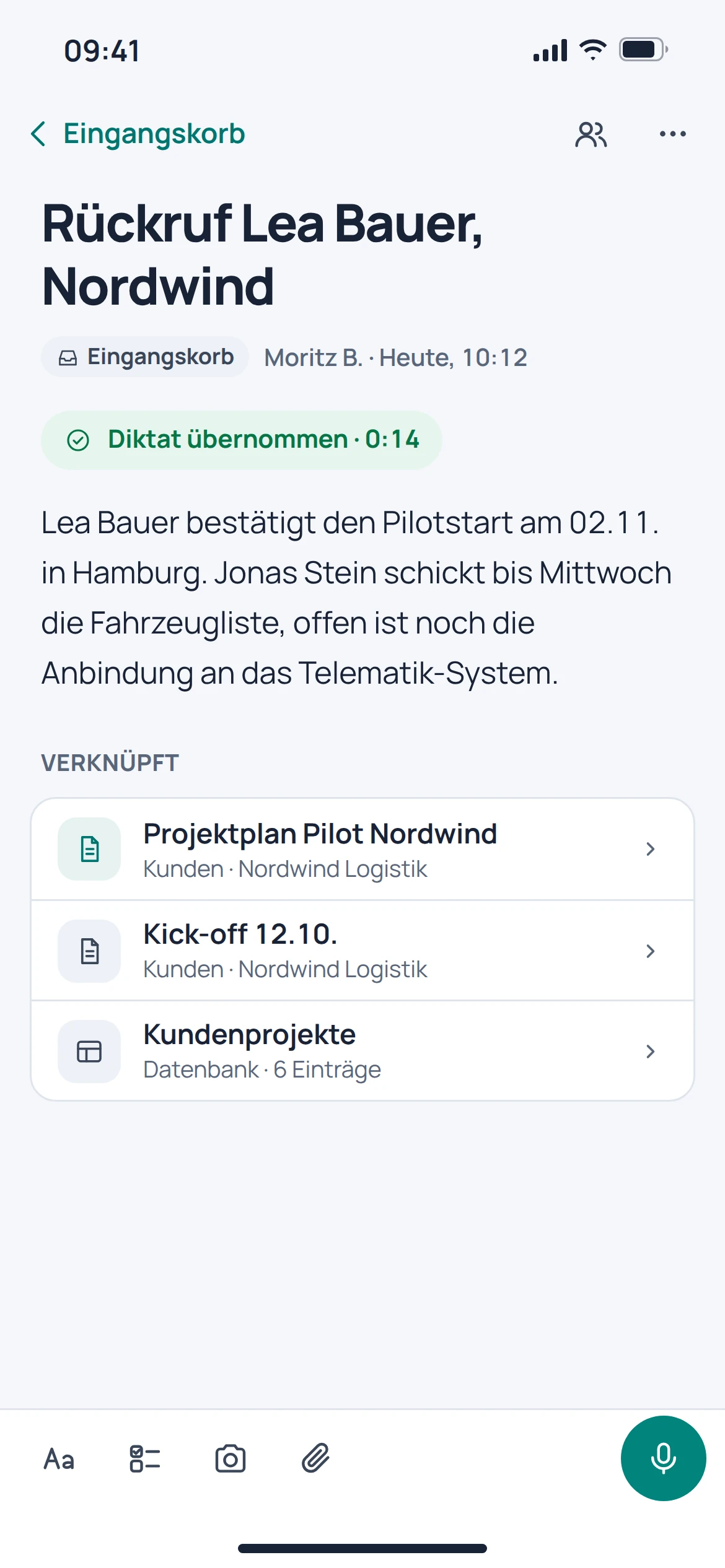
EU Notes brings together pages, notes and databases. A quick note can become a project page where the team can revisit context and open points.

Capture ideas and develop them together.

Visit the product website eu-notes.de
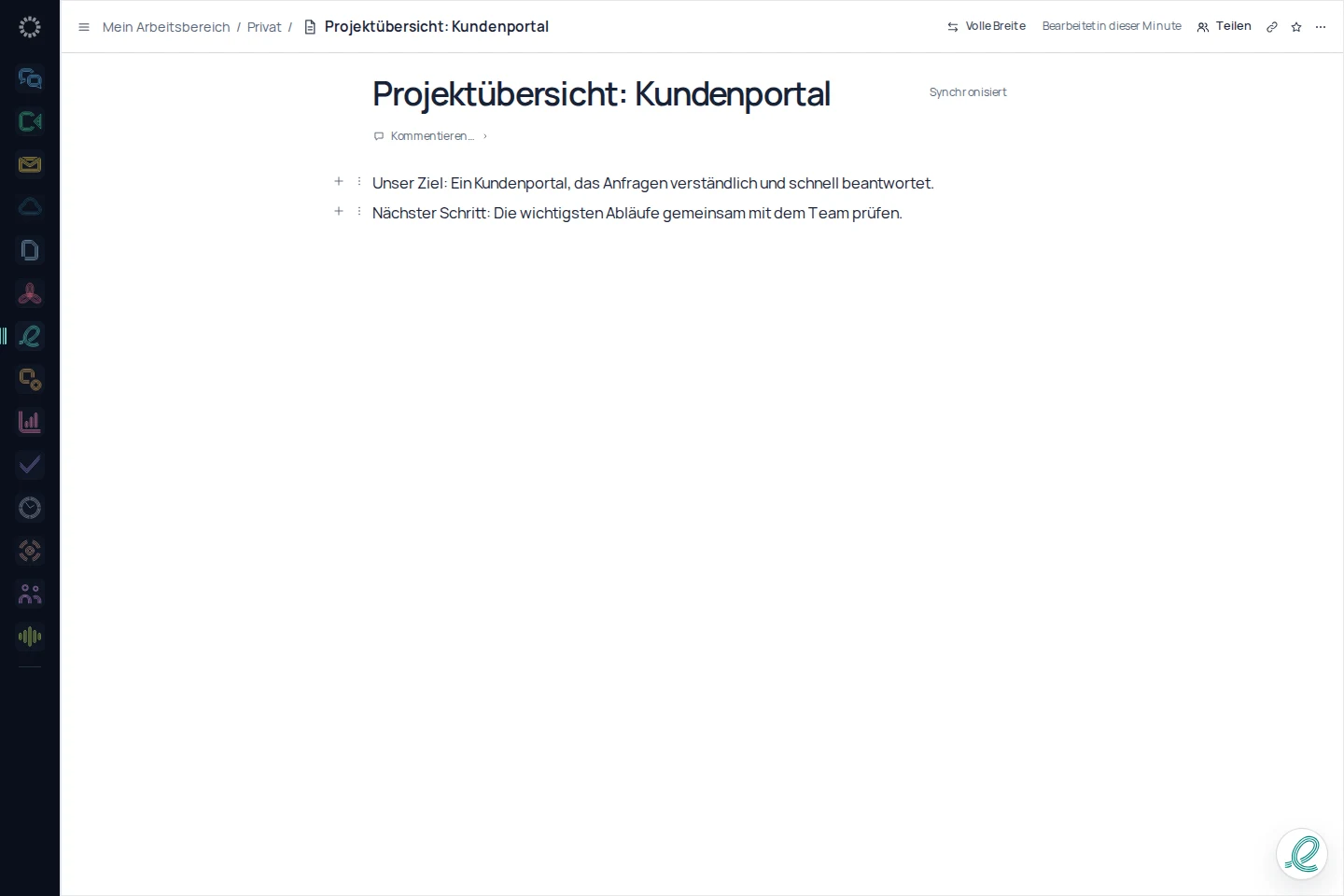
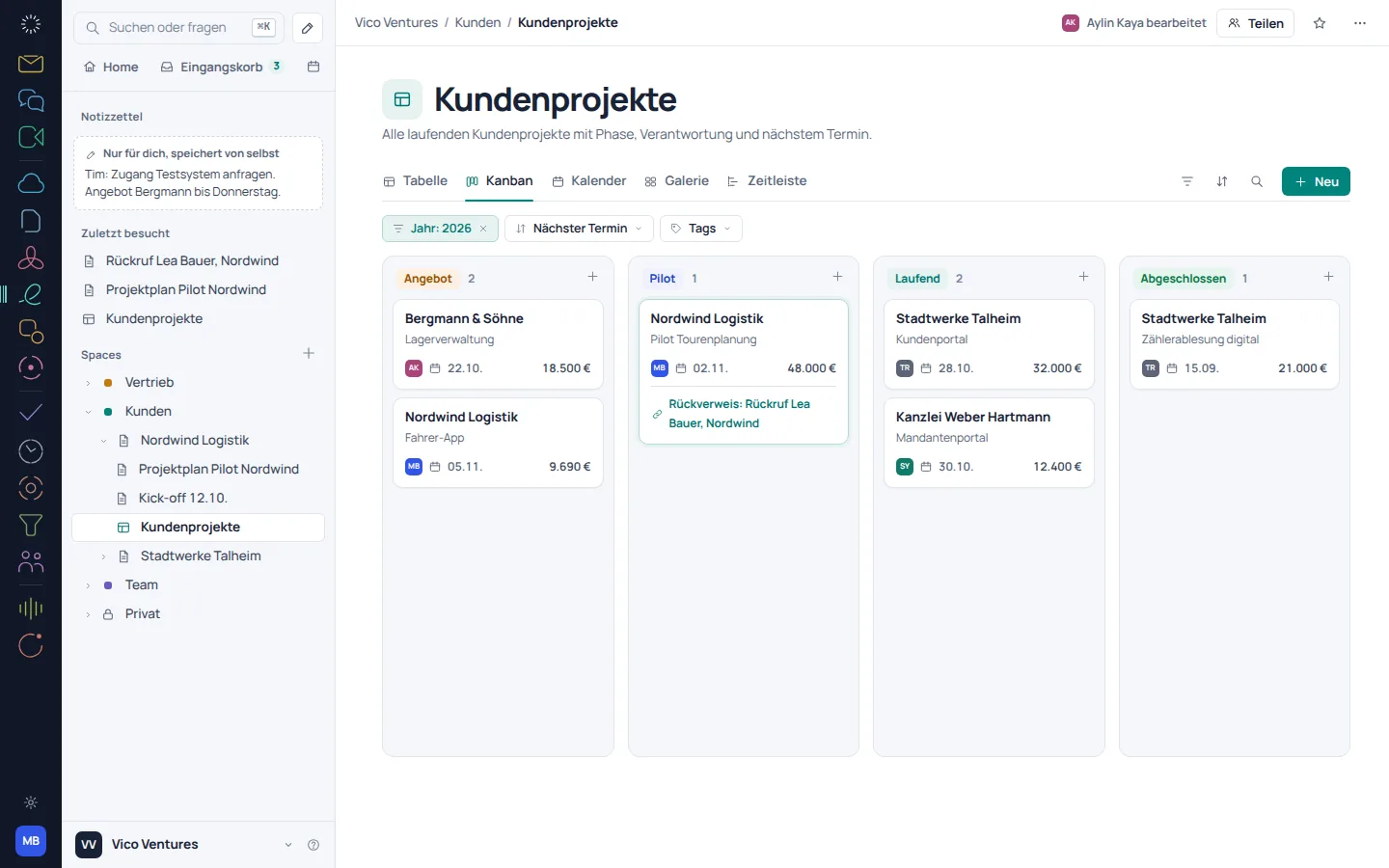
EU Notes: app recording with sample data
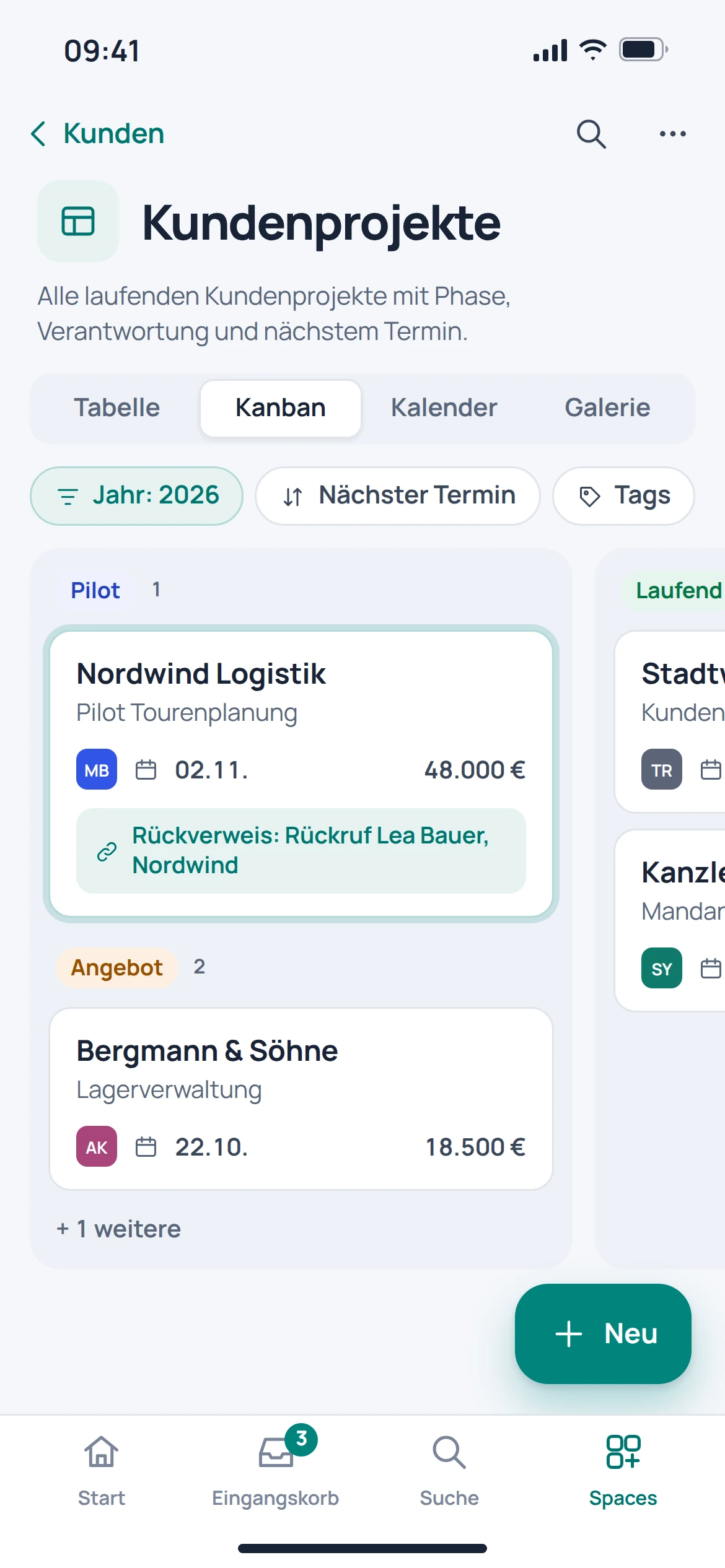
EU Notes: mobile concept preview
App recording · sample dataAnimated concept · not a live app

For the work that matters

Fewer detours.
More overview.

01

A page that grows with the project.

The project page brings together the description, milestones and open items. A page tree provides orientation without moving every note into its own document.

  • Organise pages and subpages
  • Gather project knowledge in one place
  • Find notes in the page tree
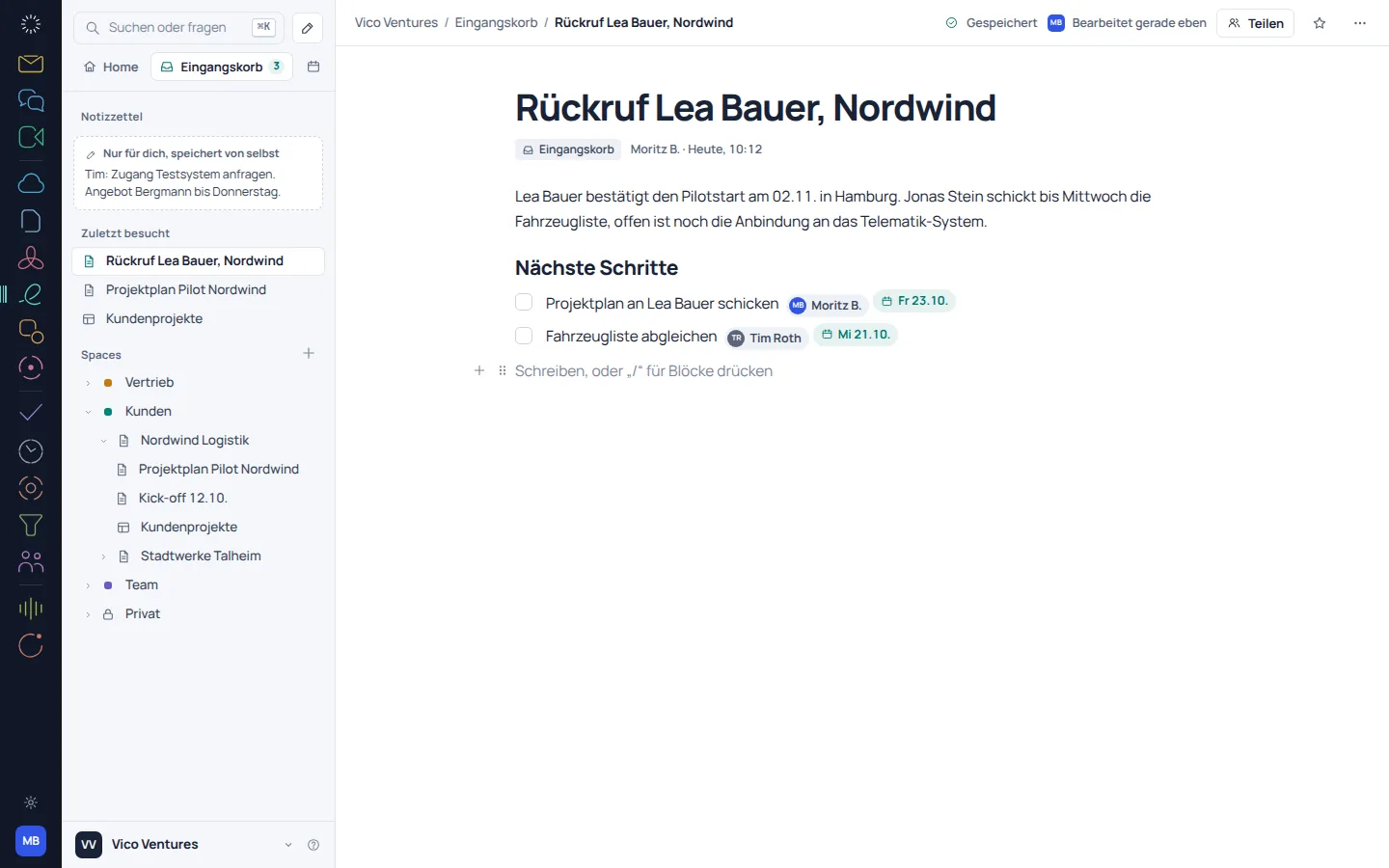
EU Notes: concept preview
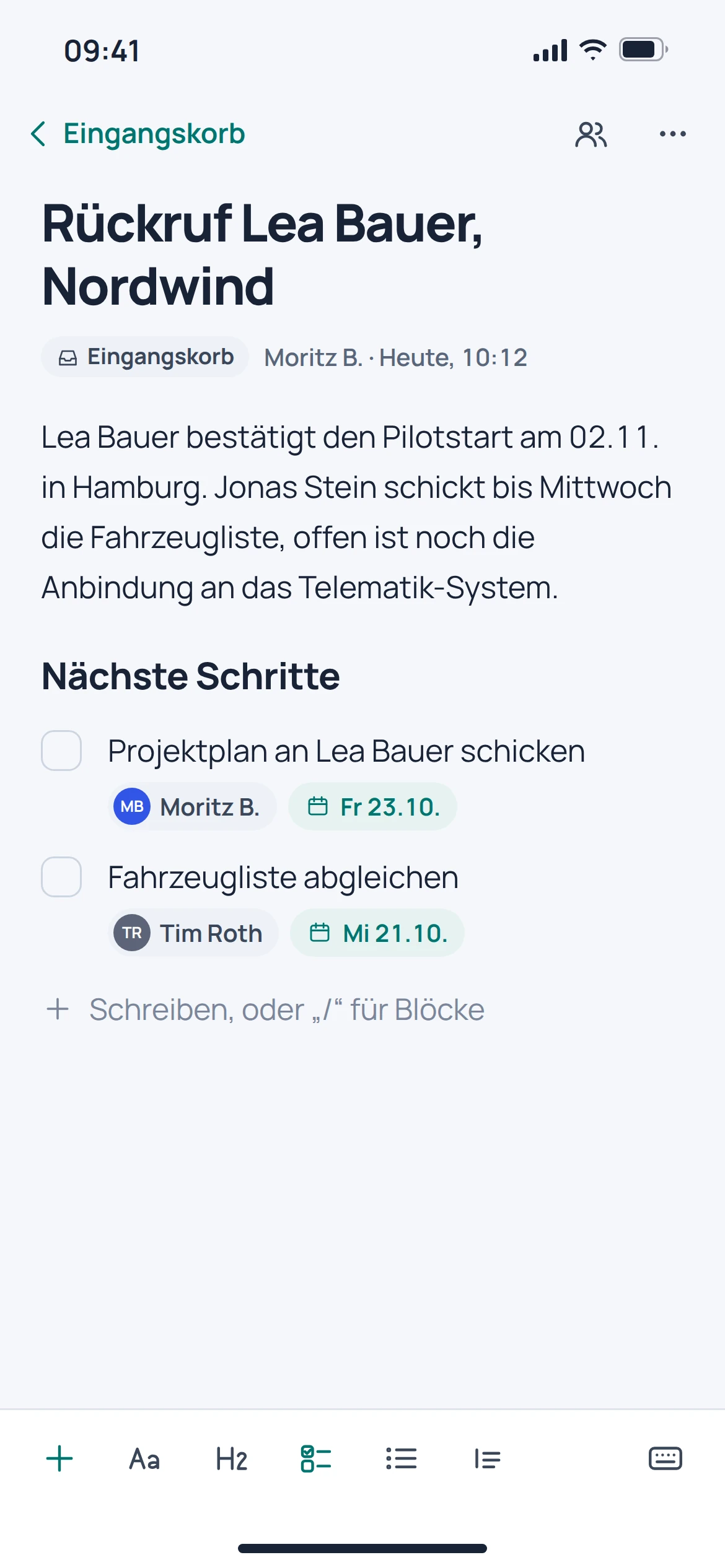
EU Notes: mobile concept preview
Animated concept · not a live appAnimated concept · not a live app

02

Structure when a list is no longer enough.

Databases complement free text with entries that have properties. The catalogued board view organises actions by status, priority and due date.

  • Describe entries using properties
  • Organise actions in a board view
  • Keep track of status and due dates
EU Notes: concept preview
EU Notes: mobile concept preview
Animated concept · not a live appAnimated concept · not a live app

03

Knowledge remains a shared task.

Pages are designed for ongoing work: add content, resolve questions about it and grant access deliberately. This makes the collection useful, not just extensive.

  • Work on pages together
  • Keep questions in comments
  • Manage access to the workspace deliberately

EU Notes: concept preview
EU Notes: mobile concept preview
Animated concept · not a live appAnimated concept · not a live app

From first step to result

From note to project page.

  1. 01

    Capture

    Create a new page for a topic, conversation or project.

  2. 02

    Organise

    Add subpages and database entries when more structure is needed.

  3. 03

    Continue working

    Share the page with the people involved and maintain open items together.

A smooth move starts with clarity

Your work comes with you.
Step by step.

The complete move from Notion, Confluence, Evernote or OneNote is marked as in preparation. Importing individual files and moving an entire workspace are different tasks.

Provider migration · In preparation
  • Notion
  • Confluence
  • Evernote
  • OneNote
  1. 01

    Scope the knowledge

    Select active pages, databases and required attachments.

  2. 02

    Check a sample export

    Inspect a small export package for page structure, links and attached files.

  3. 03

    Compare the results

    Check the view, properties and access before giving up the previous workspace.

Check before switching

  • Check internal links and page hierarchy
  • Compare database properties
  • Do not assume permissions carry over from the old environment
Plan your migration with EU Suite

Individually. Together. Right for you.

Your starting point.
Your next step.

Free, Basic and Pro for every product. One EU Suite account connects your apps. You manage your selection and access in the Control Centre.

Billing period for plan preview

Plan preview · suggested price · Individual

Free

For getting started on your own

0,00 €0,00 €/ month

Free plan

  • Write and organise your own pages
  • Local backup copies and export
View access options

Basic

For your daily work

9,12 €7,60 €/ month

When paying monthly€91.20 with annual billing

  • More workspaces and templates
  • Advanced organisation
View plan details

Pro

For more advanced workflows

13,68 €11,40 €/ month

When paying monthly€136.80 with annual billing

  • Shared workspaces
  • Knowledge and sharing workflows
View plan details

Suggested prices include 19% VAT for Germany. The commercial feature allocation is planned; binding offers and available services are shown in the control centre. No purchase is made here.

Work together?

Team adds role and licence management. A 10% surcharge and at least three paid seats per product are planned. Your account type is set in your profile.

View Team plans

Multiple apps, one package

A good fit.

Compare suitable packages in the control centre before deciding.

Good to know

Before you
get started.

The key answers about EU Notes, your account and switching.

What is the difference between a page and a database?

A page is suitable for free-form content. A database organises recurring entries by shared properties, such as status or due date.

Can a database appear as a board?

The catalogued database view displays actions as a board. The right view depends on how you want to work.

Has a complete move from Notion already been promised?

No. A complete move from another provider remains in preparation. Existing import options must be checked separately for the specific export format.

Are links to other Suite products automatically complete?

Such connections are part of product development. A complete automatic link between all tasks, events and files is not promised here.

EU Notes · Part of EU Suite

Your next step
starts here.